
Building edge AI applications often starts with a novel idea and focuses on the model architecture.
Most projects fail much earlier, usually somewhere between: “I have an idea” and “I have a dataset.”
The hardest part is usually collecting enough representative real-world data.
Whether you're building a predictive maintenance system, wearable application, robotics project, smart device, or industrial solution, you need real-world data before you can train and deploy a model.
In this article, we show how the Android Data Collector turns a smartphone into a portable multimodal Data Acquisition (DAQ) platform capable of collecting data from phone sensors, Wear OS devices, USB hardware, BLE peripherals, embedded systems, and even model outputs.
More importantly, we show how it provides an extensible framework that developers can build upon to create their own connected data collection workflows.
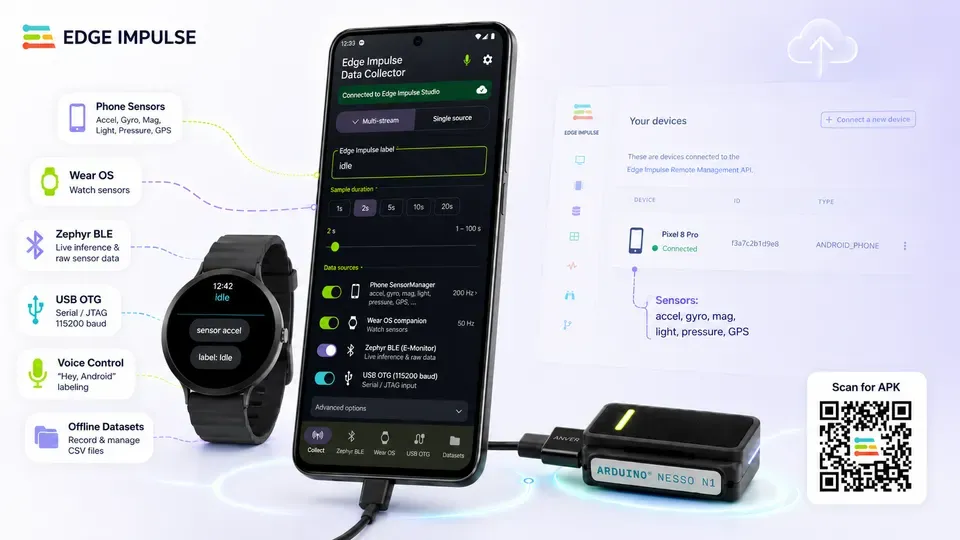
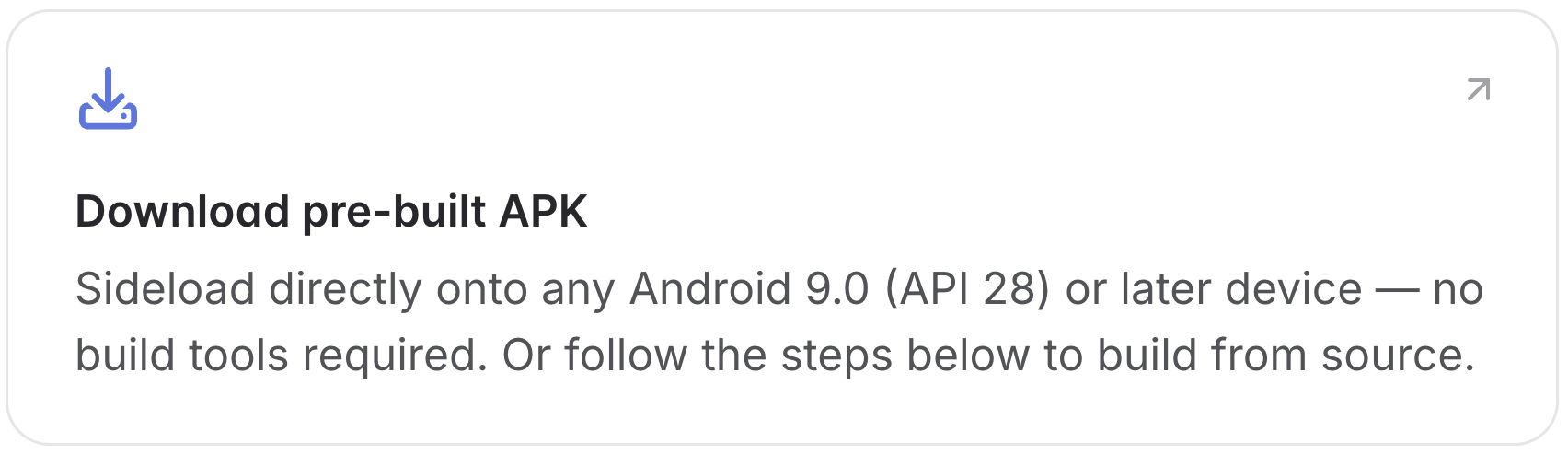
You can find the Android Data Collector tutorial here, and the source code in the example Android inferencing repository.
Real-world data matters
Every Edge Impulse project starts with data, it’s the first tab in the workflow.
Before selecting a processing block, tuning a neural network, or deploying to hardware, we need representative data from the environment where the system will actually operate. That sounds straightforward, but it's often the most difficult part of the entire project.
Real-world data is expensive to gather. It requires hardware, access to the deployment environment, labelling, iteration, and usually several rounds of refinement before it becomes useful.
The challenge becomes even greater when projects become multimodal. A single accelerometer stream is one thing, but often sensor-fusion is a key to unlocking value. Combining motion, audio, images, GPS, wearable data, embedded telemetry, and model outputs quickly becomes a data acquisition problem rather than a machine learning problem.
Traditional DAQ systems solve this problem, but they are often expensive, specialized, and disconnected from modern machine learning workflows.
Modern smartphones already contain many of the same capabilities:
- accelerometers
- gyroscopes
- GPS
- microphones
- cameras
- Bluetooth
- Wi-Fi
- local storage
- significant processing power
Rather than viewing Android purely as a deployment target, we can also use it as the collection platform for the entire edge AI lifecycle.
Android across the edge AI lifecycle
This work builds on several previous Edge Impulse projects.
In our Android Studio tutorials, we focused on deploying Edge Impulse models into Android applications.
Later, we explored hardware acceleration through Qualcomm QNN, demonstrating how Android devices can take advantage of dedicated AI hardware.
We also introduced the Edge Impulse Zephyr module, making it easier to integrate Edge Impulse directly into embedded firmware projects.
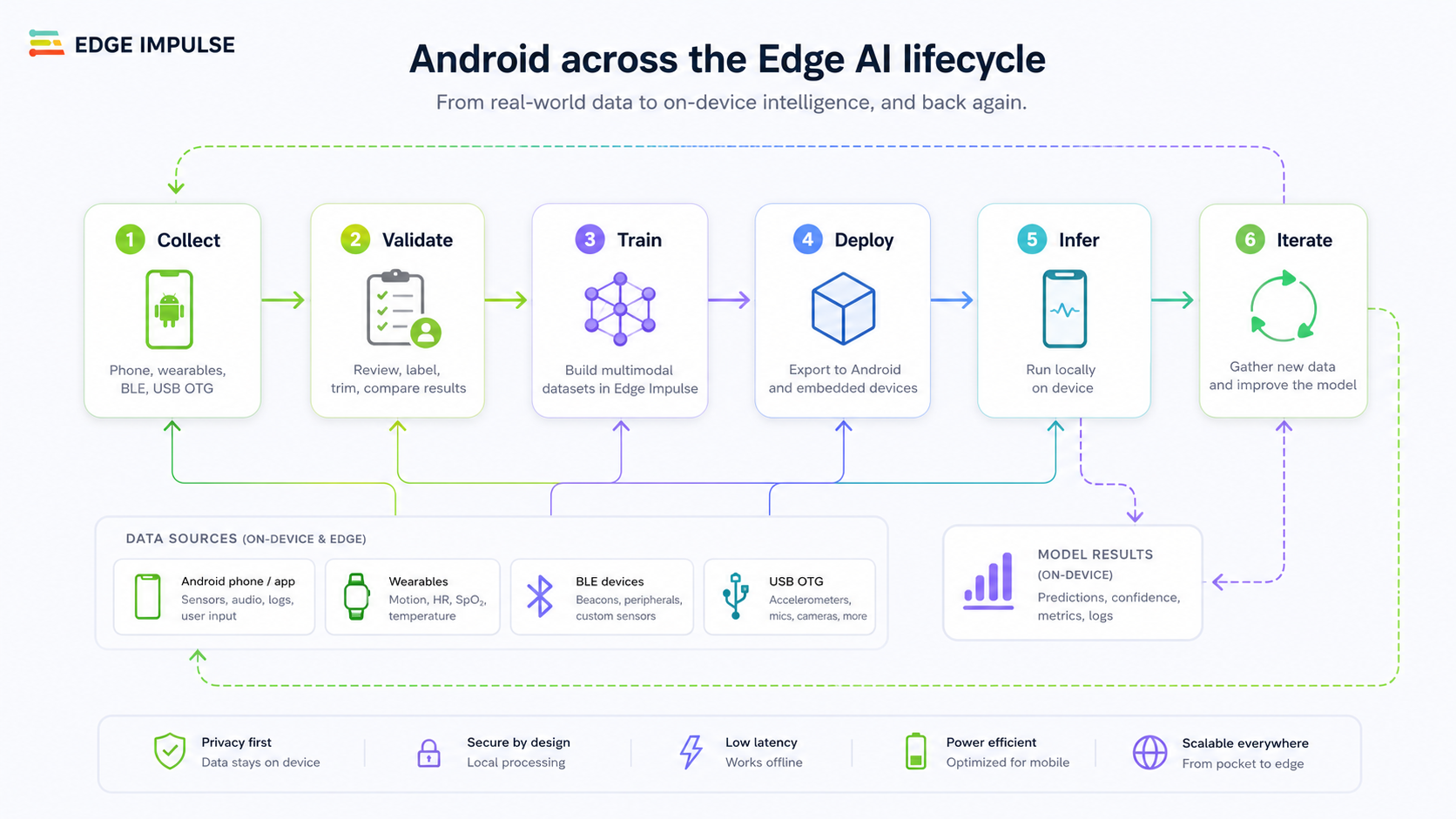
Taken individually, these projects focused on different stages of the edge AI lifecycle: collect, validate, train, deploy, infer, and iterate.
The Android Data Collector focuses on the first step: collecting useful data. But in doing so, it helps connect the entire workflow together.
The DAQ already sitting in your pocket
If you've worked in industrial automation, robotics, automotive systems, or research environments, you've likely encountered a DAQ system. Data acquisition systems sit between the physical world and the software used to analyze it.
Sensors connect to the DAQ. Measurements are timestamped and organized. Data eventually flows into dashboards, analytics platforms, spreadsheets, or machine learning pipelines.
Historically, this required dedicated hardware. Today, smartphones already provide many of the same capabilities. Viewed through that lens, Android is not simply a deployment target. It becomes the collection platform. The Android Data Collector provides a direct path from sensors into Edge Impulse datasets while keeping the workflow mobile and accessible.
More than an application: an extensible framework
One of the most important aspects of the Android Data Collector is that it should not be viewed as a fixed application for a predefined set of sensors. It is designed as an extensible framework. The included collectors are examples, not limits.
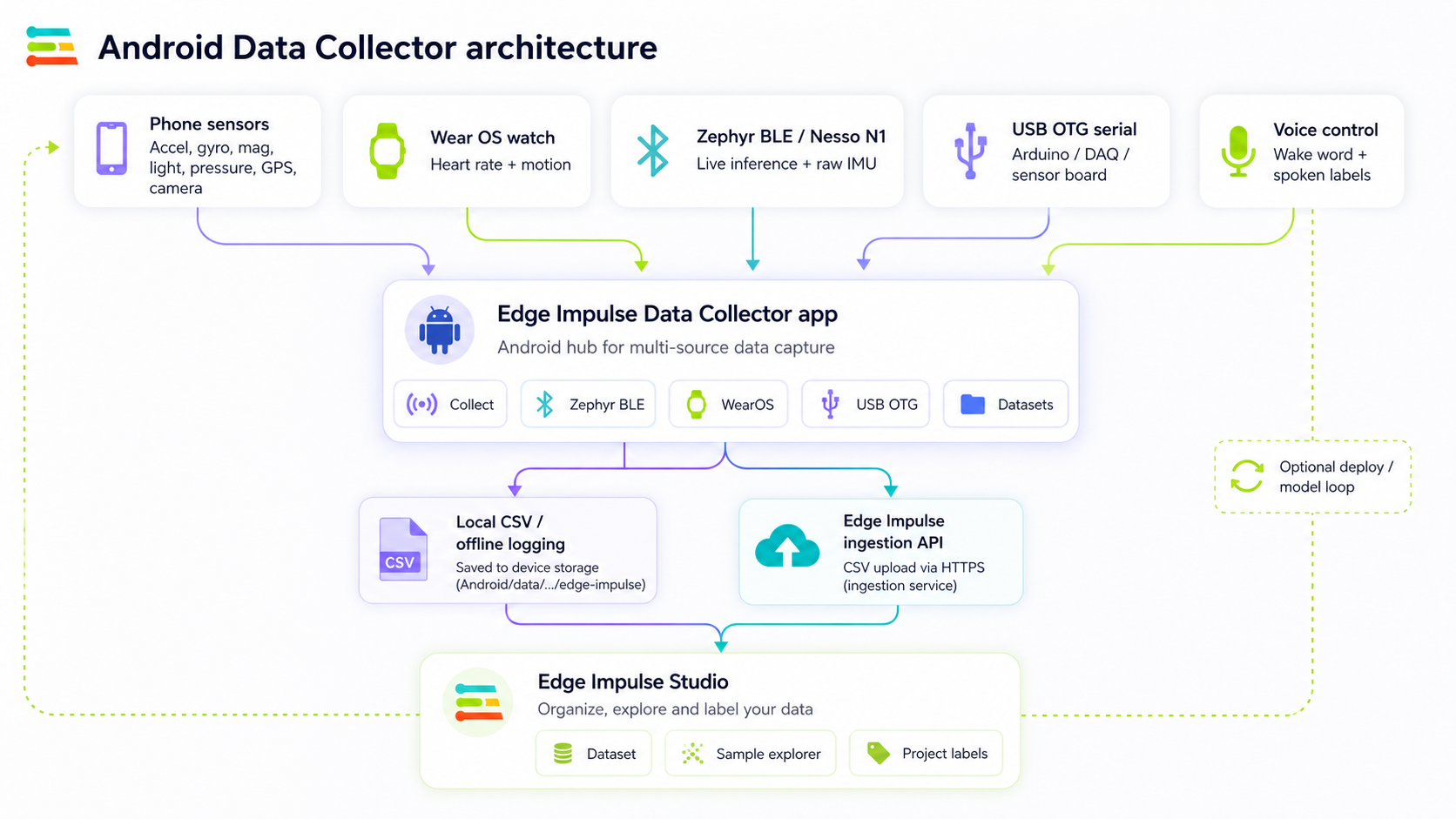
Whether the source is Android sensors, Wear OS devices, Arduino hardware, Zephyr devices, BLE peripherals, USB OTG devices, robotics platforms, automotive telemetry, custom hardware, or model outputs, the collection workflow remains the same. The hardware generates data. Android provides the collection and labeling layer. Edge Impulse provides the dataset and machine learning workflow.
This separation makes it possible to bring new hardware into the platform without redesigning the application. If a device can measure something and stream it into Android, it can become part of the workflow.
We are also exploring broader distribution paths for the Android Data Collector, along with future client support beyond Android.
Multimodal data collection
Most real-world edge AI systems are not built around a single sensor. A smartwatch might provide heart rate, motion data, and activity information. An industrial controller might provide vibration, current monitoring, and temperature. A robot might provide motor telemetry, IMU readings, and position information. A smartphone can contribute images, audio, GPS, and user annotations.
Individually, these signals are useful. Together, they become a multimodal dataset.
Offline multimodal dataset curation
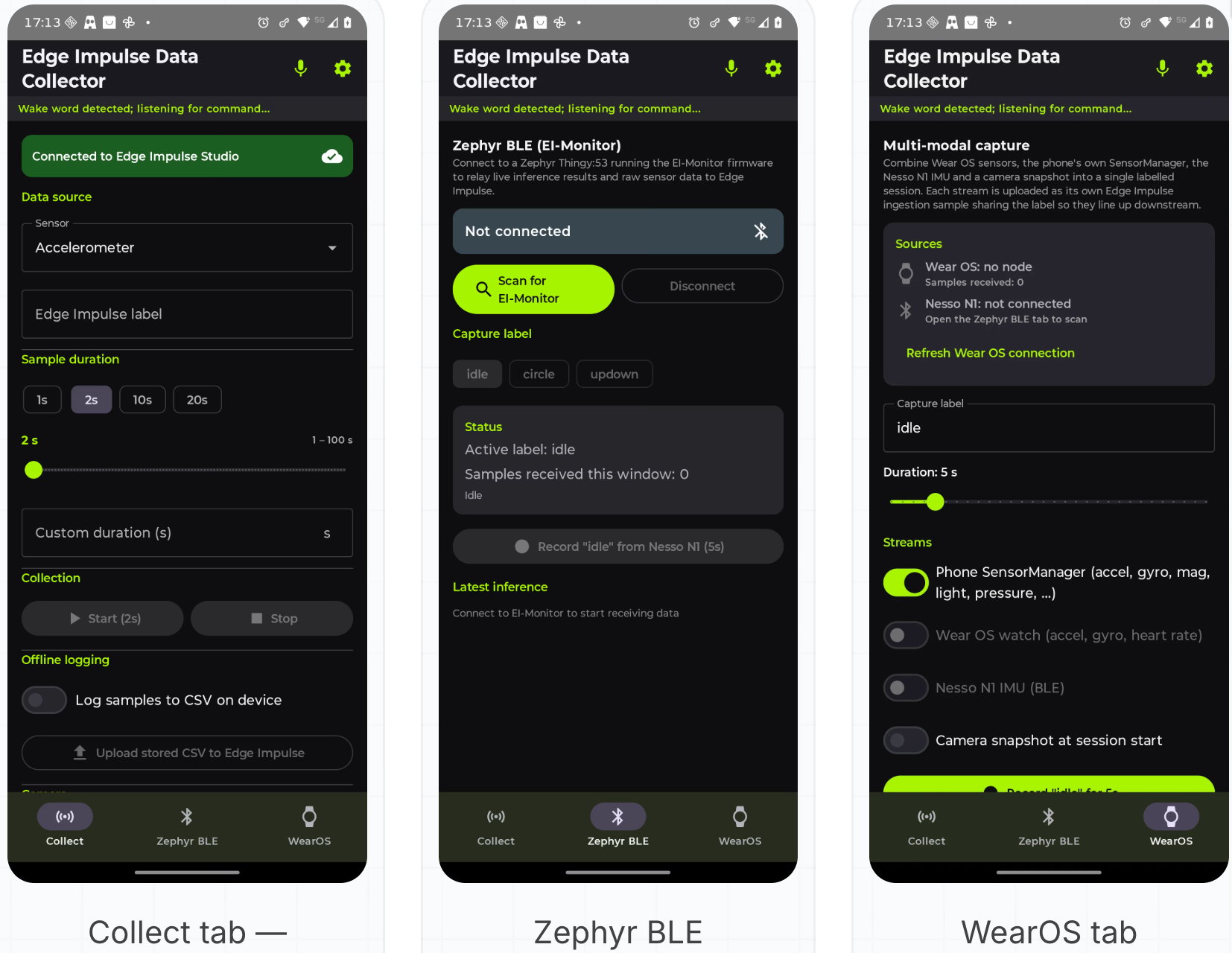
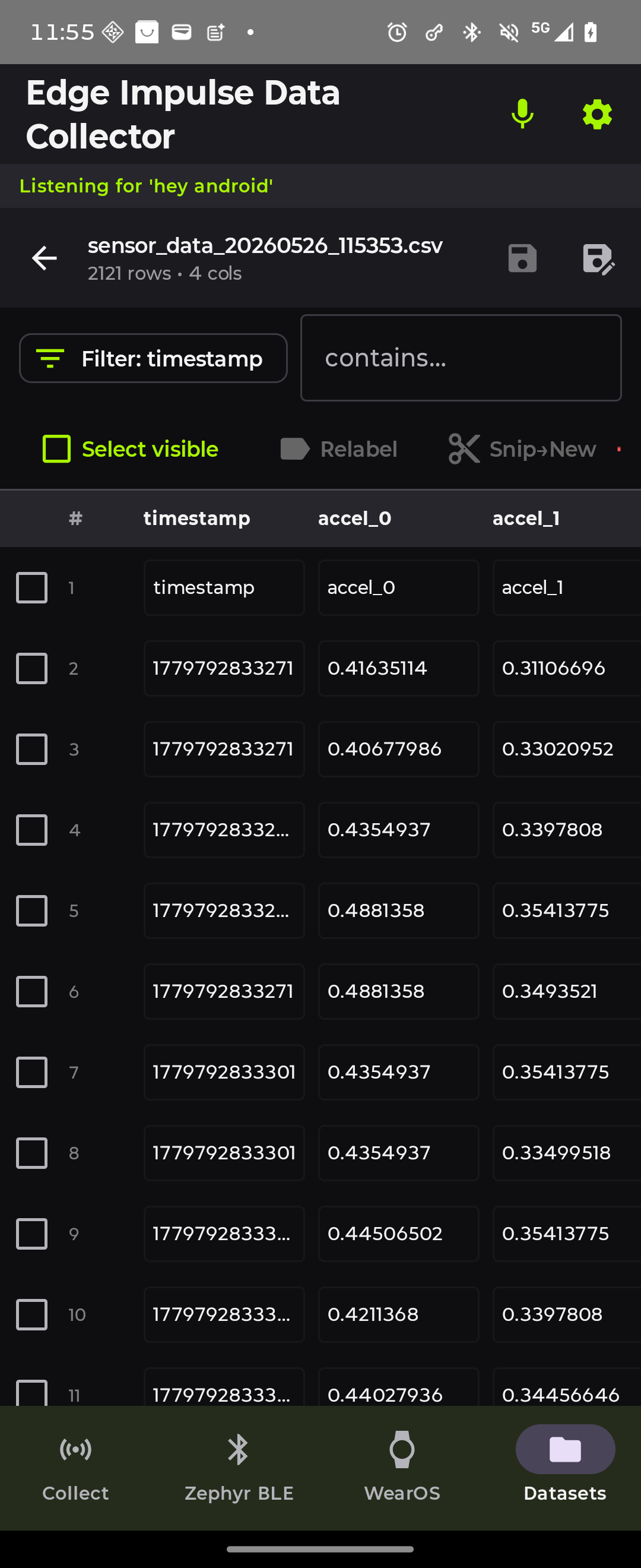
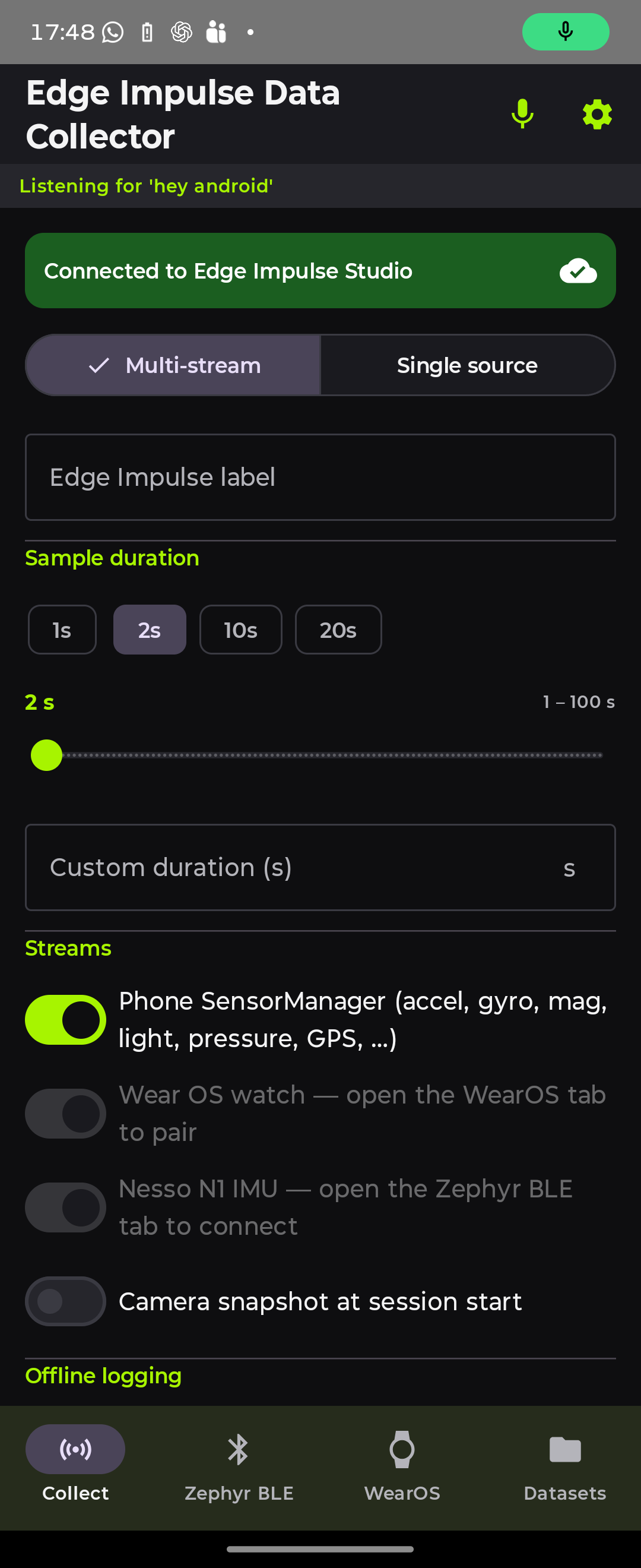
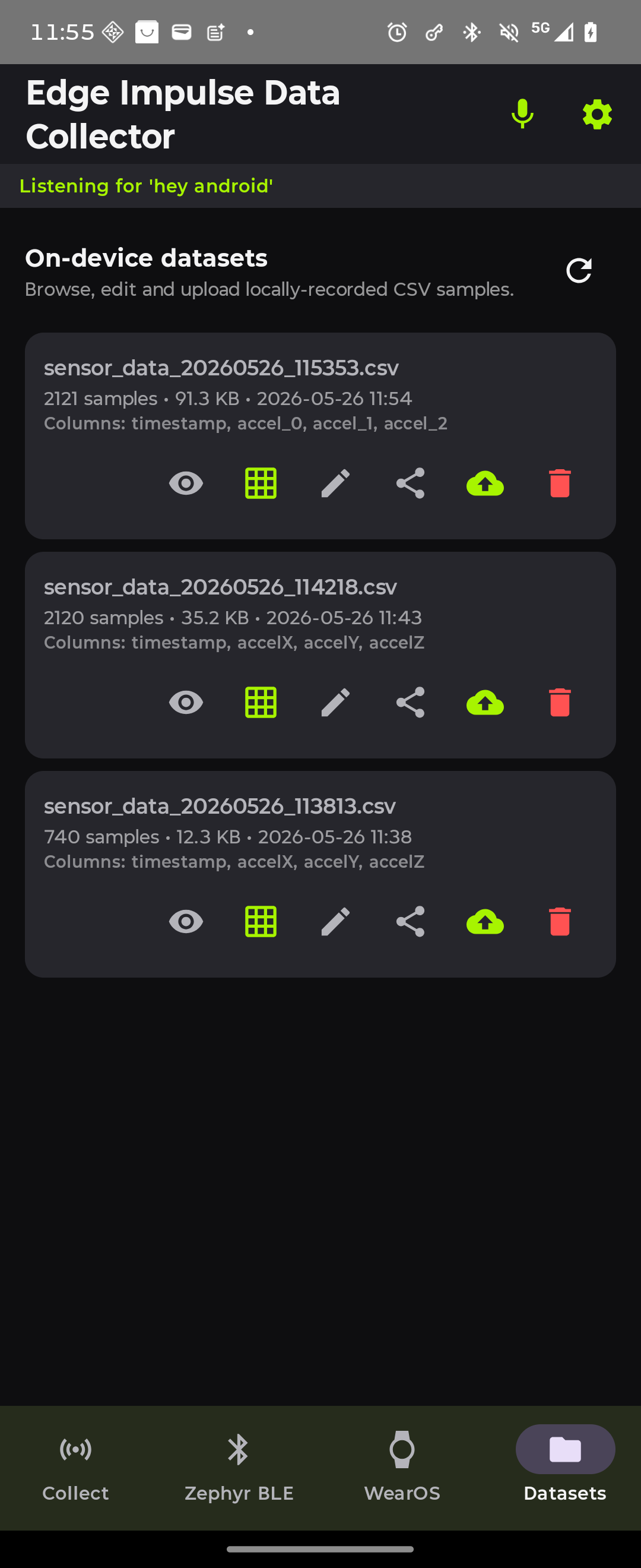
The Android Data Collector supports multiple acquisition paths including Android sensors, Wear OS devices, BLE peripherals, Zephyr devices, USB-connected hardware, and model outputs.
These sources can be combined into a single collection workflow, creating richer datasets with more context than any individual sensor could provide alone.
Wear OS as a wearable DAQ
Wear OS devices provide an interesting collection path because they naturally combine sensing and context. A smartwatch can contribute motion data, activity information, physiological measurements, and location information while remaining untethered from traditional development hardware.
This makes Wear OS particularly useful for activity recognition, sports analytics, healthcare research, rehabilitation, workplace safety, and human-machine interaction.
Because wearable streams feed into the same collection architecture, they can be combined with phone sensors, embedded hardware, and model outputs to create richer datasets.
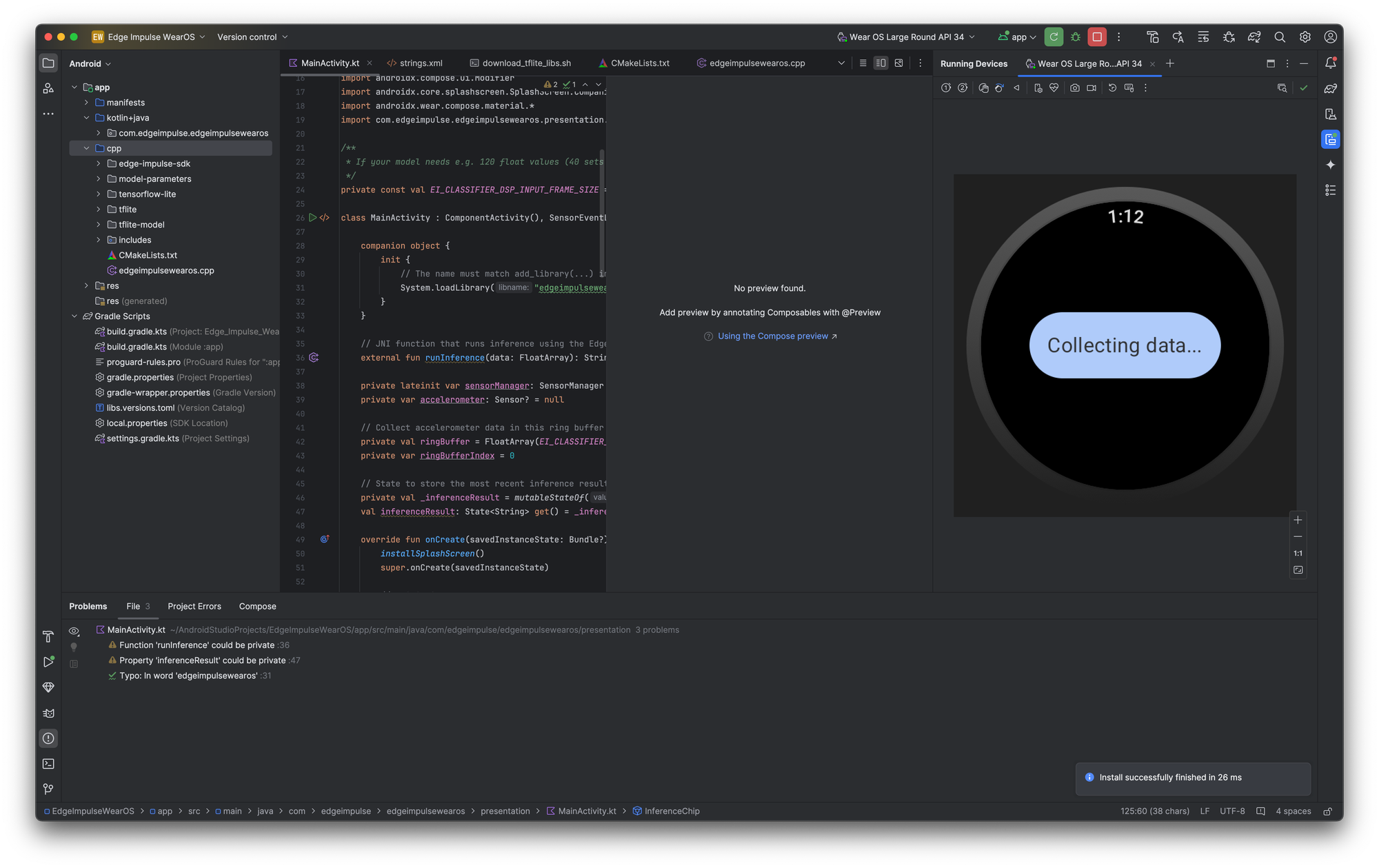
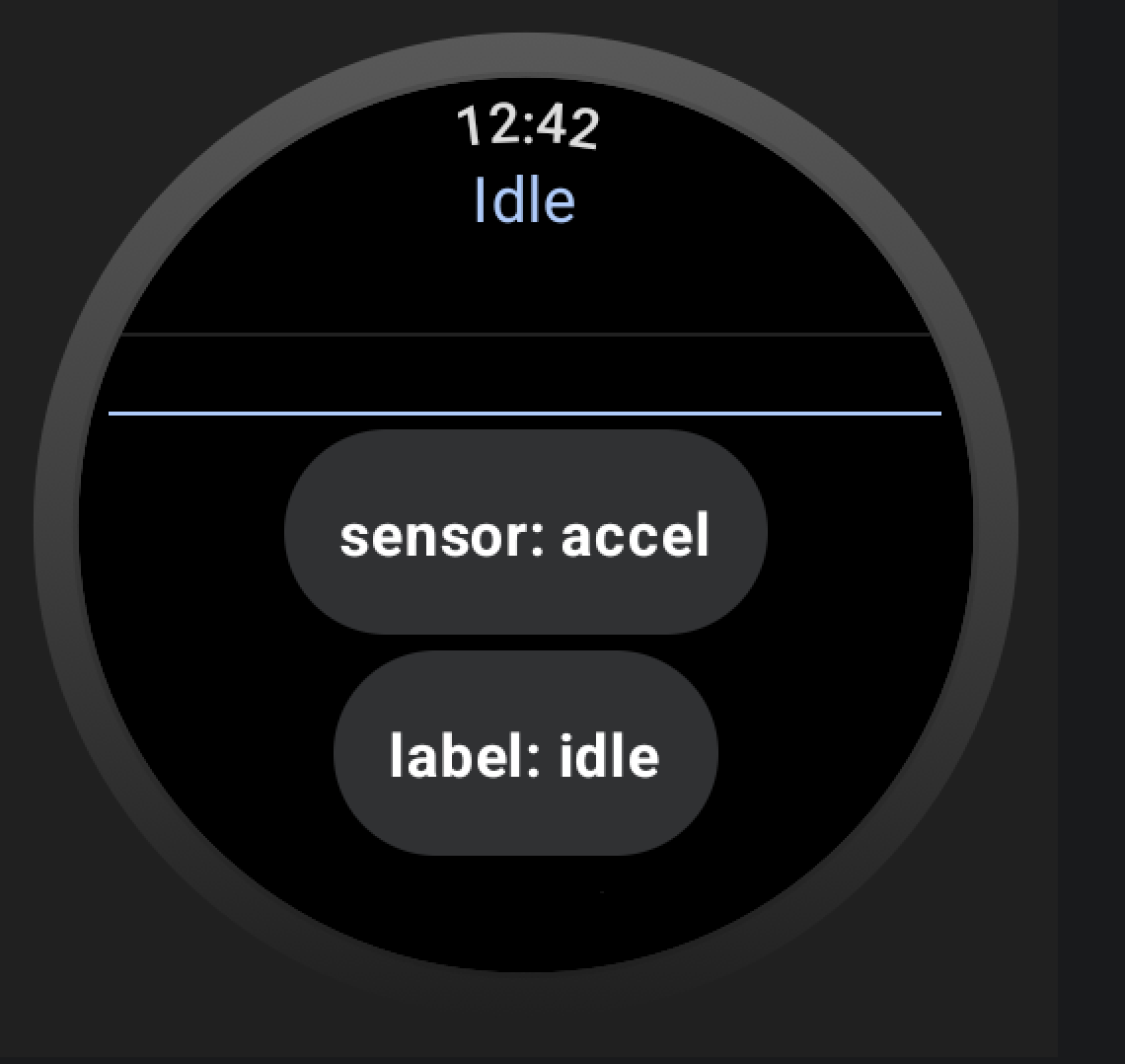
Collect and label data from your Wear OS connected app (template included)
Connecting hardware with USB OTG
One of the final and most critical additions we have found is connecting a device over USB OTG, the Arduino Nesso N1 in the leading shot with a simple sketch.
Using this combination, the Android Data Collector immediately stops feeling like a mobile application and starts feeling like a traditional DAQ. Instead of routing data through a laptop, sensor readings streams directly into the phone.
The protocol is intentionally simple: a device sends a header describing available channels:
ax,ay,az,gx,gy,gzIt then streams comma-separated measurements:
0.0123,-0.0340,0.9810,1.2500,-0.5000,0.1200Android handles connection management, recording, labelling, local storage, dataset preparation, and upload to Edge Impulse.
The firmware simply reads sensors and streams values. This makes it easy to connect custom hardware without requiring complex middleware or cloud infrastructure.
For Arduino-compatible hardware, the firmware contract is intentionally small:
Serial.println("!ax,ay,az,gx,gy,gz");

Serial.print(ax, 4);
Serial.print(',');
Serial.print(ay, 4);
Serial.print(',');
Serial.print(az, 4);
Serial.print(',');
Serial.print(gx, 4);
Serial.print(',');
Serial.print(gy, 4);
Serial.print(',');
Serial.println(gz, 4);
Sample sketches for Arduino here
Zephyr, BLE, and embedded
The same architecture extends naturally to Zephyr devices. A Zephyr application can run Edge Impulse inference locally and stream both sensor data and inference results back to Android over BLE.
This creates an interesting feedback loop. Datasets no longer contain only raw measurements. They can also include model predictions, confidence scores, sensor data, labels, and contextual information.
This is particularly useful for field validation because developers can compare what the model predicted against what was actually happening when the data was collected.
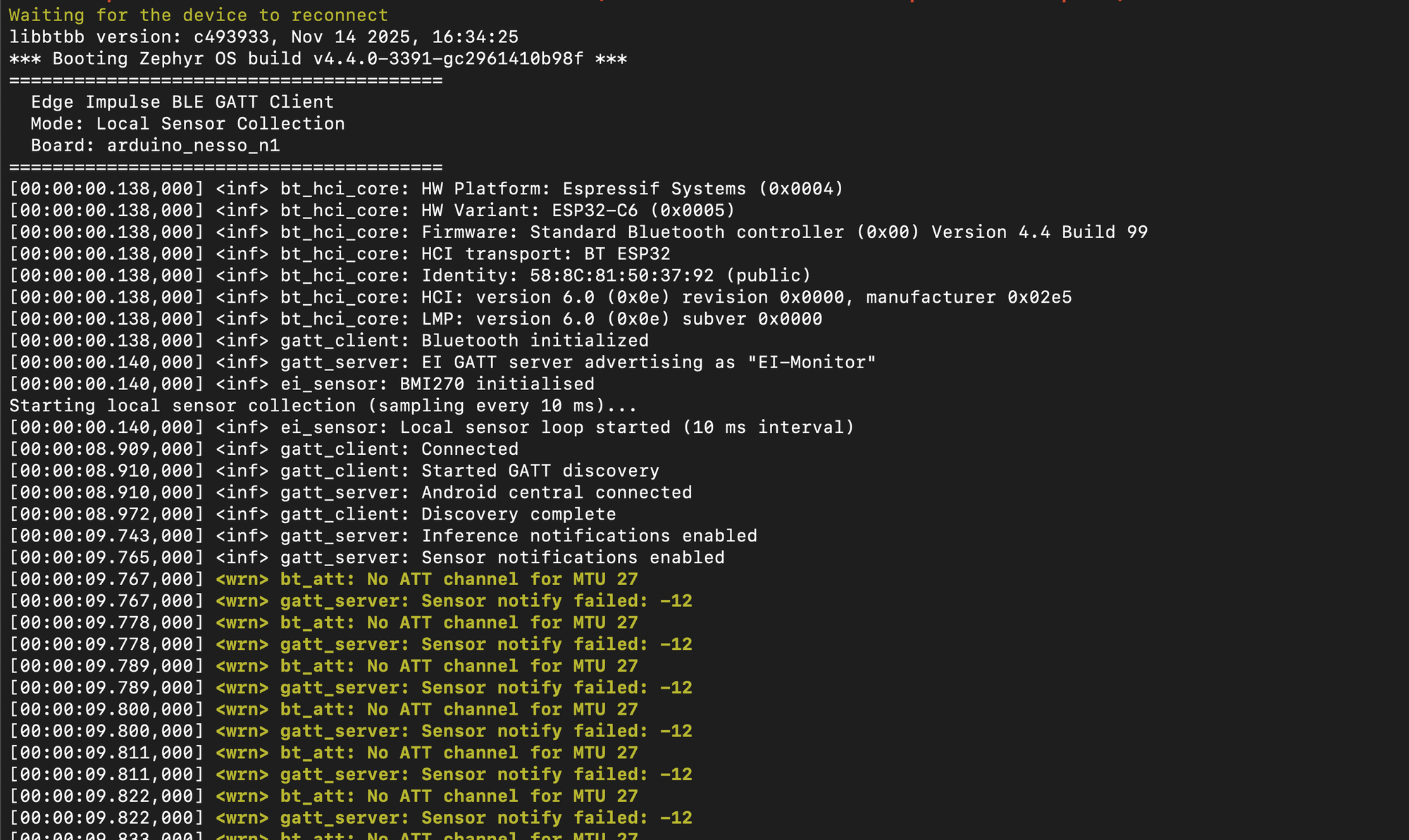
For Zephyr-based devices, the same pattern can be extended over BLE:
read_imu_window(sensor_buffer);

result = run_edge_impulse_classifier(sensor_buffer);

ble_notify_raw_window(sensor_buffer);
ble_notify_inference_result(result.label, result.confidence);
Extending the platform with agents
The Android Data Collector includes an Edge Impulse data collection skill designed to help developers and AI coding agents extend the platform.
Rather than treating every new sensor integration as a custom engineering effort, the framework provides a repeatable pattern: create a collector, register it with the ViewModel, route it through the recording workflow, store data through the repository layer, and reuse the existing Edge Impulse ingestion pipeline.
The result is a platform that can grow beyond the sensors included today. New hardware integrations become easier to add while preserving a consistent user experience.
For app-level extensions, the included data collection skill gives an agent the pattern for adding new sources:
Add a new sensor source.
Create a collector.
Expose it through the ViewModel.
Route it through the recording flow.
Reuse the existing Edge Impulse upload path.
Extensible through skills
Local dataset review and validation
Collecting data is only part of the process. Datasets can also be reviewed and edited directly on the device. Samples can be inspected, relabelled, filtered, trimmed, and removed.
This is particularly valuable when working in the field where access to a laptop may not be practical; instead of treating collection and validation as separate activities, they become part of the same workflow.
Hands-free collection with wake words
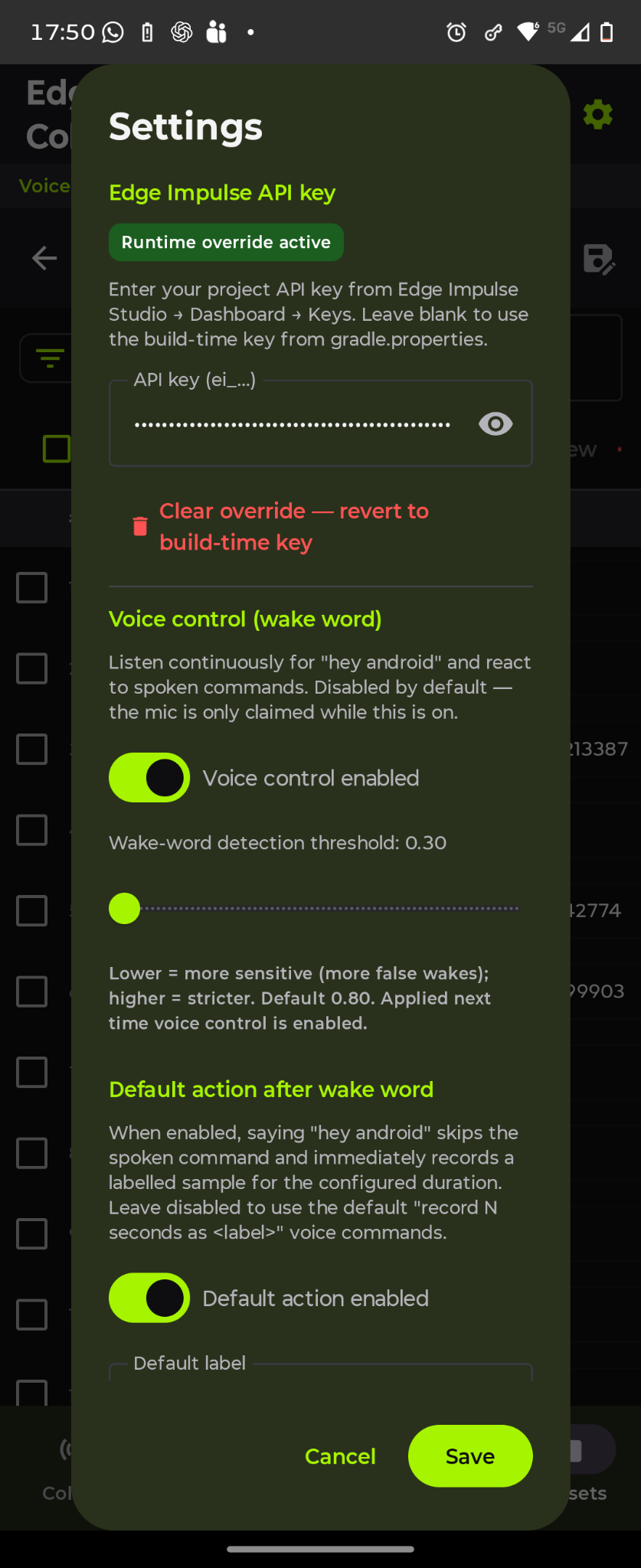
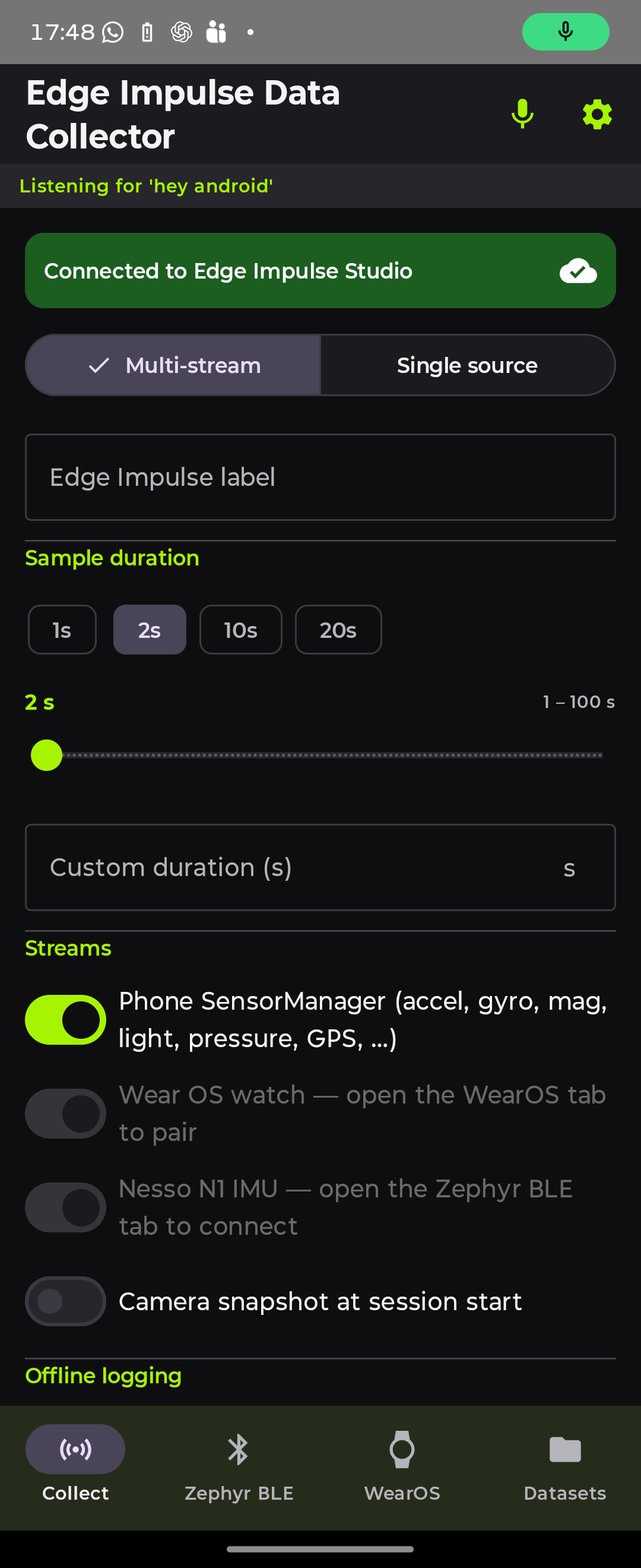
Built-in sample KWS functionality with Hey Android for the action
The Android Data Collector also supports running an Edge Impulse project wake-word initiated recording workflows.
A configured keyword can trigger a collection action without requiring interaction with the screen. For robotics, industrial systems, vehicles, wearables, and field deployments, this can make data collection significantly easier. The result feels less like a mobile application and more like a dedicated field DAQ.
A useful platform for education
Another area where this workflow shines is education. One of the recurring challenges when teaching edge AI is hardware availability. You might have thirty students and only a handful of development boards. Smartphones change that equation. We noticed that with our mobile web client — most participants already carry a capable sensing platform.
Instead of spending workshop time installing drivers and troubleshooting hardware, students can immediately begin collecting data. The conversation shifts toward a more important question: how do we build a good dataset?
That is often the lesson that matters most.
Looking ahead
What makes this architecture particularly interesting is how naturally it can evolve.
Adding another sensor often becomes a firmware change rather than a redesign. Adding another connected device follows the same collection model.
Future versions could incorporate local LLM-assisted workflows, dataset quality recommendations, agent-assisted collection, automated validation, additional wearable integrations, and new connected hardware targets.
The important thing is that the foundation already exists.
Final thoughts
We started looking at the Android Data Collector as a convenient way to gather sensor data. We ended up with something larger: a portable, extensible data acquisition platform for edge AI.
A sensor logger collects readings. A DAQ platform becomes part of a workflow. The phone becomes the hub. Embedded devices become data sources. Wearables become additional context. Models become part of the collection loop. Most importantly, the platform is designed to grow.
Android sensors, Wear OS devices, USB OTG hardware, BLE peripherals, Zephyr firmware, future clients, and new acquisition workflows can all participate in the same dataset pipeline.
If a device can measure something and stream it into Android, it can become part of the same Edge Impulse workflow. The model may be the thing we eventually deploy, but the dataset is where every successful edge AI project begins.
Increasingly, that dataset can begin with the device already sitting in your pocket.
Get started
Want to build your own multimodal datasets?
Explore the Android Data Collector documentation, connect your own sensors and hardware, and start building datasets directly from Android, Wear OS, USB hardware, BLE peripherals, and embedded systems.
Then bring that data into Edge Impulse to train, deploy, and improve your models.