
AI image captioning is transforming how organizations turn visual data into actionable insight across industries. For accessibility, it enables real-time, descriptive narration of images for people who are visually impaired, improving digital inclusion. In e-commerce and retail, it automates product descriptions, enhances search, and improves customer experience. In medical imaging and healthcare, captioning supports clinicians by summarizing visual findings and streamlining documentation. In robotics, it helps machines interpret and describe their surroundings for safer interaction. In agriculture, it translates field imagery into insights for crop monitoring, disease detection, and yield optimization.
This is only the tip of the iceberg. Many organizations, however, remain unable to capitalize on this technology due to the significant costs involved. Hosting cutting-edge vision-language models locally requires expensive hardware and specialized expertise. Cloud-based services, on the other hand, introduce latency and privacy concerns that are often prohibitive for sensitive use cases.
Choosing the Right-Sized Solution
Fortunately, there is a much more accessible option that could benefit many organizations. Customized, domain-specific image captioning models can be built and trained on a shoestring budget. When properly optimized, they can even run on inexpensive, commodity hardware such as a Raspberry Pi single-board computer. If you need some guidance on how this can be done, you’re in luck: Solomon Githu recently published a guide that will show you the way.
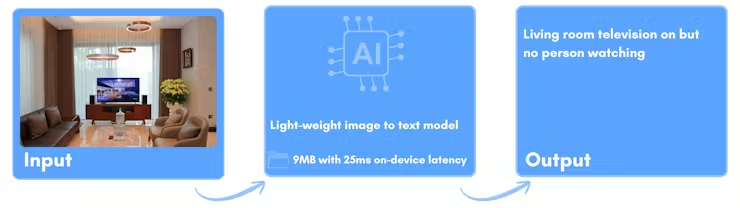
Rather than attempting to replicate large generative AI systems that produce fluent, open-ended sentences, Githu’s approach focuses on retrieval-based image description. The goal is not to generate new language from scratch, but to identify the most relevant keywords that describe what is happening in an image and then combine them into a simple, meaningful sentence. This design choice dramatically reduces model size and complexity, resulting in a solution that is up to 200 times smaller than typical vision-language models while still delivering practical value.
The primary platform used in the project is a Raspberry Pi 4 paired with the official 8-megapixel Camera Module v2.1. This combination is inexpensive, widely available, and familiar to hobbyists, students, and engineers alike. Despite its modest specifications, the Raspberry Pi 4 offers enough CPU performance and memory to handle real-time image capture, preprocessing, and inference when paired with a well-optimized model.
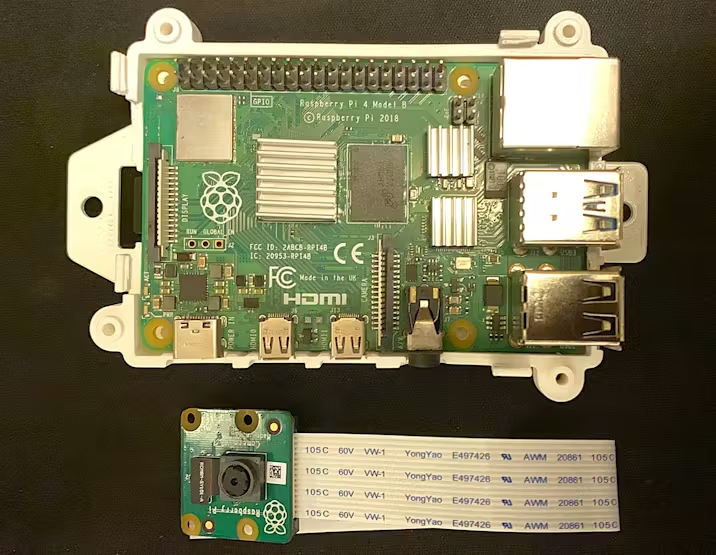
To support development and deployment, the Raspberry Pi runs the Edge Impulse Linux SDK. This toolkit simplifies the process of collecting sensor data, running models with hardware acceleration where available, and managing the full inference pipeline on-device. With the hardware prepared and dependencies installed, the system is ready to move on to one of the most critical stages of any machine learning project: data collection.
Collecting Domain-Specific Visual Data
Instead of relying on massive, generic image datasets, this project takes a focused, domain-specific approach. Images are collected directly from the Raspberry Pi camera using a custom Python script that runs a lightweight web server. Through a browser-based interface, users can view the live camera feed and capture frames with a single click. Each captured image is automatically saved to a local directory, forming the raw dataset for training.
Githu designed three concrete use cases to guide data collection. The first is personal productivity monitoring, where the system distinguishes between a person working on a laptop and being distracted by a phone. The second is smart space monitoring for energy conservation, identifying situations where lights are on but no one is present in the room. The third focuses on smart agriculture, monitoring plant care activities such as watering.
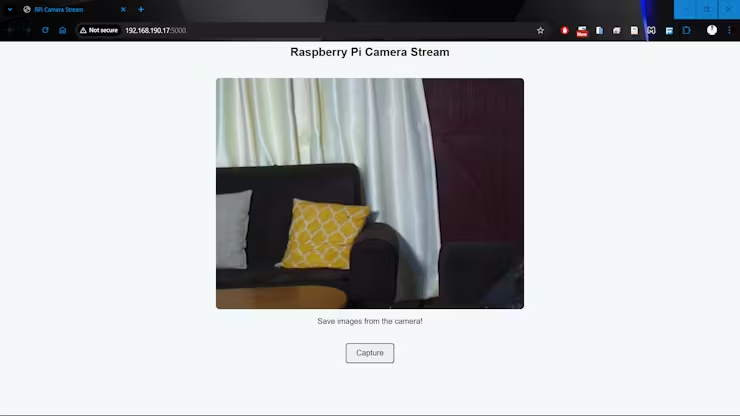
In total, 150 images were collected across these scenarios. While this may seem small compared to conventional computer vision datasets, the controlled environment and clearly defined objectives make it sufficient for a proof of concept. Each image is manually annotated with a set of descriptive tags, such as “person,” “laptop,” “phone,” “lights,” “no_person,” “plant,” and “watering.” These tags form a compact vocabulary that captures the semantic meaning relevant to the target applications.
This manual tagging process is a key trade-off. It requires upfront effort and domain knowledge, but it eliminates the need for complex natural language generation and large-scale annotation. The result is a lightweight dataset tailored to the exact problems the model is meant to solve.
Building a Personalized Image Captioning Model
With images and tags prepared, model training takes place in a Google Colab notebook. Using Colab provides access to cloud-based compute resources without additional cost, while integration with Google Drive ensures that datasets persist across sessions. The notebook handles image preprocessing, tag encoding, model definition, training, evaluation, and eventual upload to Edge Impulse.
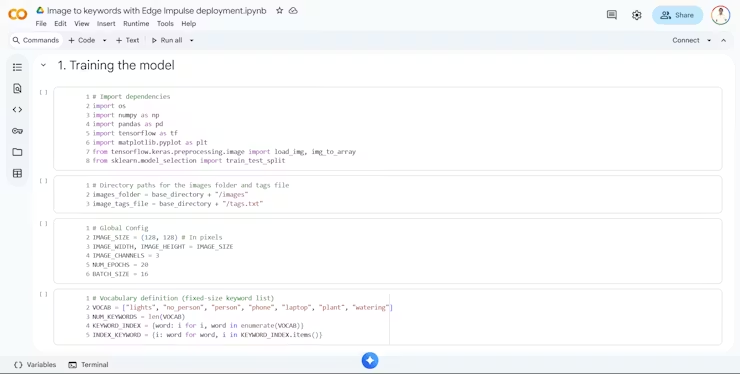
The model architecture is built around MobileNetV2, a convolutional neural network designed for efficiency on mobile and embedded devices. Through transfer learning, the pretrained MobileNetV2 backbone is used as a fixed feature extractor, while new layers are added on top to predict the presence or absence of each tag. A sigmoid activation function is applied to the output layer, enabling multi-label classification where multiple tags can be active at the same time.
This design allows the model to answer independent questions about an image: Is there a person present? Are the lights on? Is there a plant being watered? Because each tag is predicted independently, the model can recombine learned concepts in ways that were not explicitly shown during training. In practice, this enables surprisingly flexible descriptions, even with a small dataset.
Deploying the Model on the Edge
Once trained, the model is uploaded to Edge Impulse, where it becomes part of a complete inference pipeline. Edge Impulse provides detailed profiling of model performance across a wide range of hardware targets, estimating flash usage, RAM consumption, and inference latency. For the Raspberry Pi 4, the final model occupies approximately 9 MB of storage and achieves inference times on the order of tens of milliseconds.
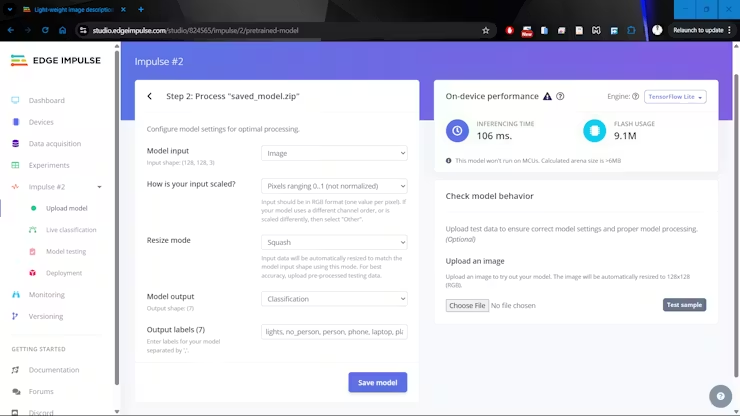
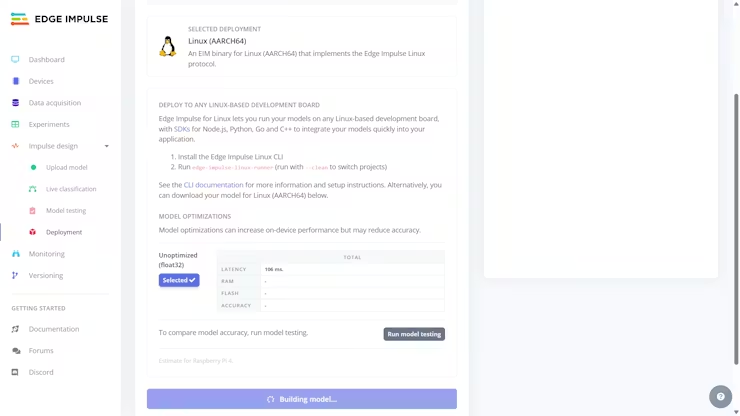
Edge Impulse also streamlines deployment by packaging the model and preprocessing steps into a single executable file tailored to the target architecture. In this case, a Linux AARCH64 deployment is generated, producing an Edge Impulse Model file that can be copied directly to the Raspberry Pi. After making the file executable, the inference application can be launched with a simple Python command.
During runtime, the system captures live camera frames, preprocesses them using the Edge Impulse SDK, and runs inference to predict tag probabilities. The most relevant keywords are then combined into a short sentence and displayed alongside the video feed in a web interface. All of this happens locally on the device, without sending images to the cloud.
The significance of this project lies not in competing with large-scale generative AI models, but in demonstrating an alternative path that prioritizes efficiency, privacy, and practicality. By narrowing the scope to domain-specific image-to-keyword mapping, it becomes possible to deliver meaningful image understanding on hardware that costs a fraction of traditional AI infrastructure.
As the need for image captioning continues to expand into factories, farms, homes, and public spaces, approaches like this will become increasingly relevant.
To learn how you can take the first step toward building your own image captioning system, check out Githu’s project write-up. You can also snag the project’s source code to give yourself a head start.