
What if your robot could recognize which room it's in? No camera, no GPS, no pre-built map. Just a single 360° LiDAR and a machine learning model.
Recently I have been exploring robotics applications beyond computer vision. LiDAR is one of the most-used sensors in robotics, powering everything from autonomous vehicles to warehouse robots and drones. Since this is a relative new area for me, I thought it would be interesting to learn by building a project and share my lessons learned.
If you are already familiar with LiDAR technology but interested on training a machine learning model from LiDAR real-time data, skip the introduction part.
Introduction
Traditional SLAM (Simultaneous Localization and Mapping) allows robots to build a map of an unknown environment while running a continuous estimation for its exact location within the map, which is a heavy process. For many use cases such as room-level navigation, zone detection, security perimeter, or context-aware automation, you don't need a map.
A single 360° scan made by a LiDAR produces a characteristic "distance fingerprint" of the space. LiDARs are useful because they perform well in various lighting conditions. Corridors, rooms, and open areas generate distinct distance fingerprint patterns. By training a ML model on these patterns, we can classify environments directly on-device without relying on external infrastructure.
What is a LiDAR?
LiDAR stands for "Light Detection and Ranging." The LiDAR measures distance by firing laser pulses and timing how long they take to bounce back.
How LiDAR Measures Distance
The basic physics are:
distance = speed of light × time / 2
There are three fundamental measurement principles, and they matter because they determine the sensor's accuracy, range, cost, and what it's good for.
- Direct Time-of-Flight (dToF) sends a short laser pulse and measures the exact time until the reflection arrives. The D500 that we are using uses this. It works at long range (up to 12 meters indoors, hundreds of metres), and accuracy doesn't degrade with distance.
- Indirect Time-of-Flight (iToF) continuously modulates the laser and measures the phase shift of the returning wave. Most depth cameras use this, such as the RealSense cameras.
- Triangulation projects a laser dot or pattern and uses a camera offset from the emitter to observe where the dot lands. This is what early Kinect sensors and many industrial gauging systems use.
Space Recognition with LiDAR: Getting started
In this project I connected an LDRobot D500 LiDAR Developer Kit to an Arduino UNO Q, captured LiDAR data from different rooms, uploaded them to Edge Impulse Studio as time-series data, trained a classification machine learning model, and deployed it back on the Arduino UNO Q for real-time inference in the edge.
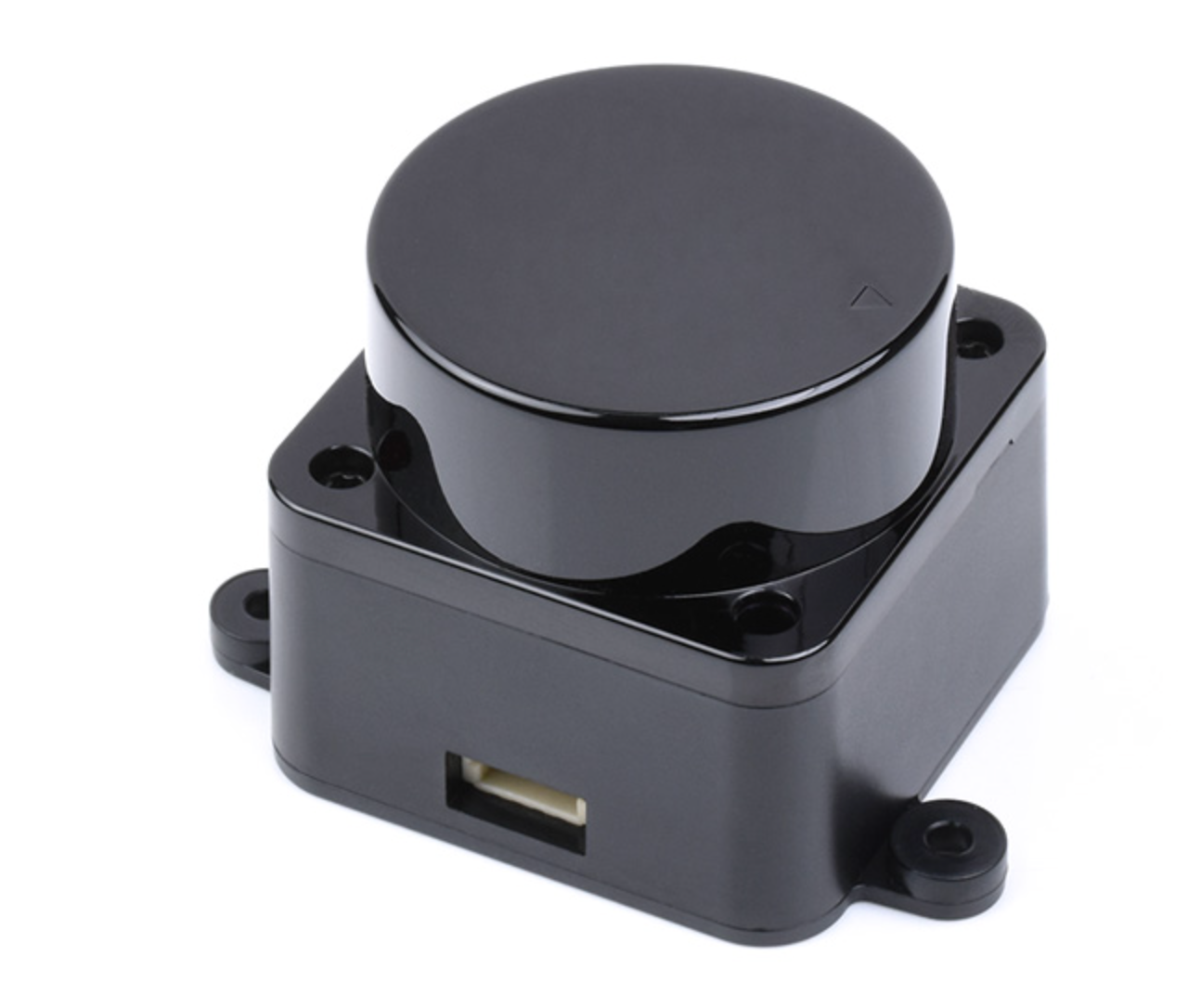
The LiDAR LDRobot D500 Developer Kit is a mechanical spinning 2D dToF LiDAR aimed at the robotics and education market. It can create an outline of a space and any objects in its plane (furniture, doorways, people). 1D single-point LiDAR sensors also exist, as does "3D" lidar (using multiple spinning LiDAR sensors set to different angles to create spatial slices of the environment).
For an initial project using Edge Impulse for room-recognition the LDRobot D500 is more than enough.
Hardware
- Arduino UNO Q 4GB
- LDRobot D500 LiDAR Developer Kit
- USB-Hub
- USB-C cable
The LiDAR D500 kit ships with a USB adapter board that converts the LiDAR's UART output to USB serial — plug it into the UNO Q and it appears as /dev/ttyUSB0. No extra wiring required.
Deploy the LiDAR mapper application
Deploy this application using SSH with your Arduino UNO Q with the LiDAR connected via USB to your device.
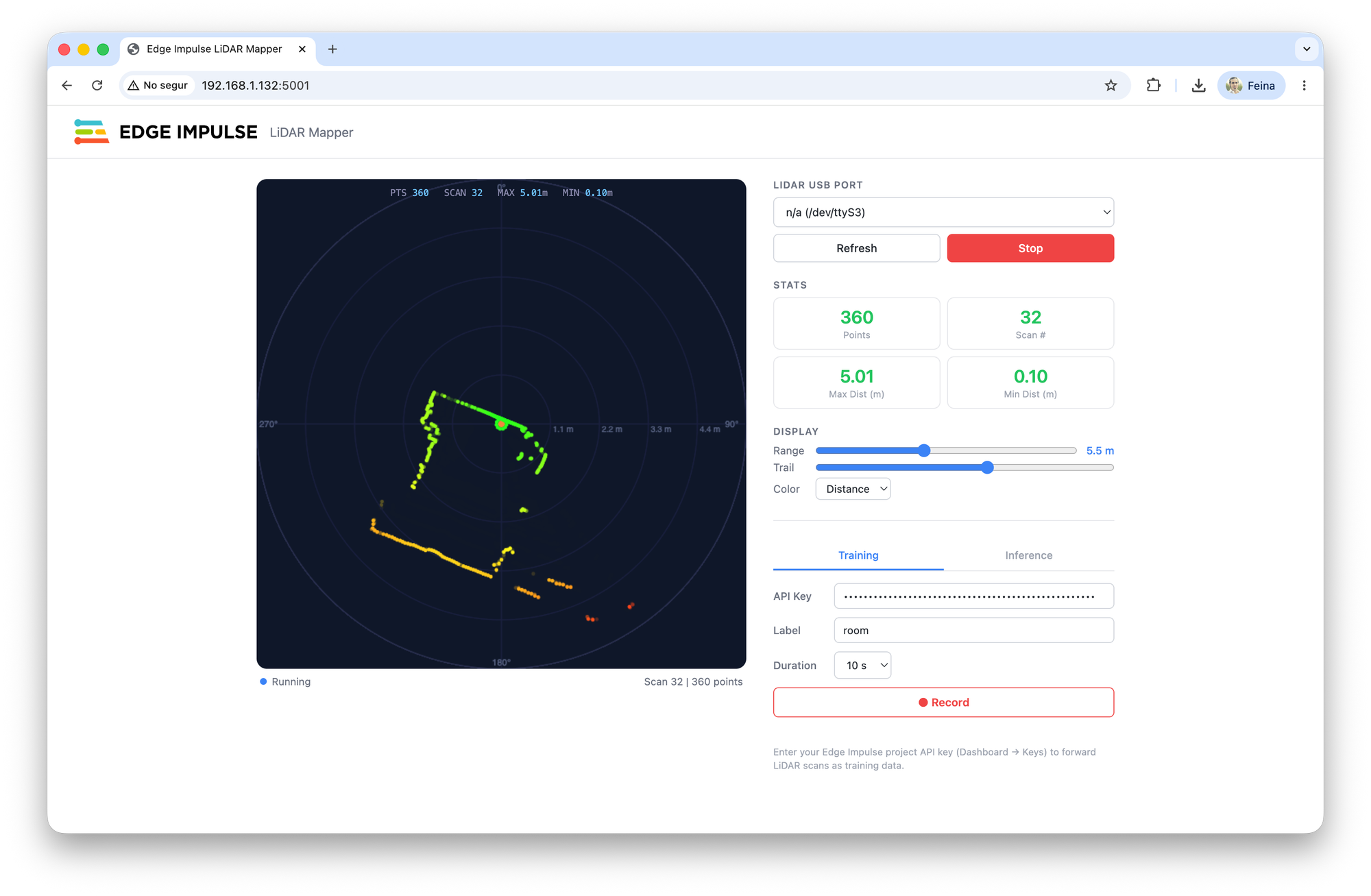
In Edge Impulse Studio, create a new project and in the Dashboard click the Keys tab. Add a new API key. Copy it and paste it in the interface LiDAR mapper interface to start training the Edge Impulse ML model.
Train the ML model
Using the Arduino UNO Q LiDAR mapper UI in training mode with the API key, introduce the label of the room where you are and click Record.
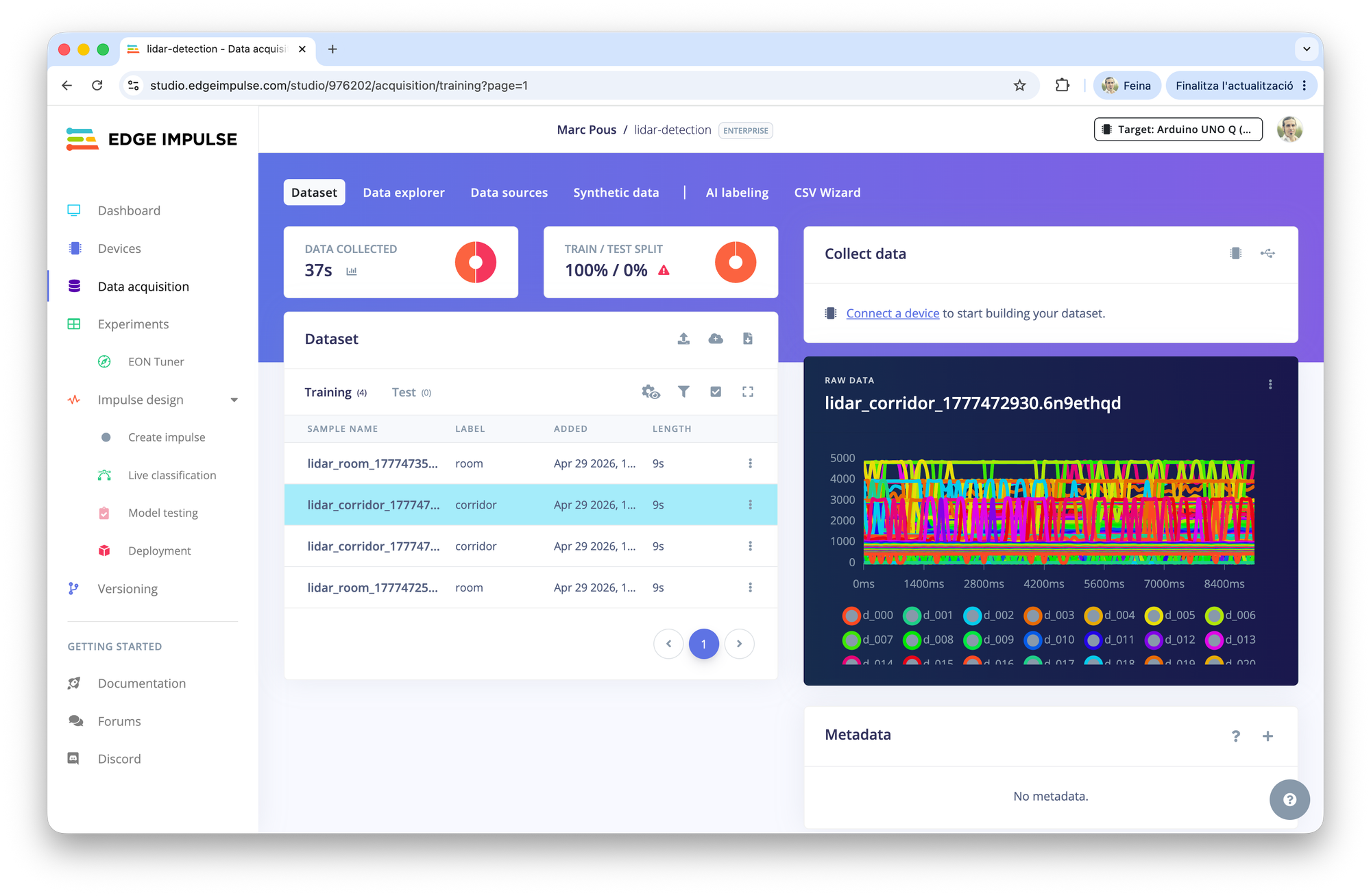
If you go to the Edge Impulse Studio Data Acquisition section, you should be able to see all the data recorded there. In this case, the length is 10 seconds, so split the samples in 1 second data.
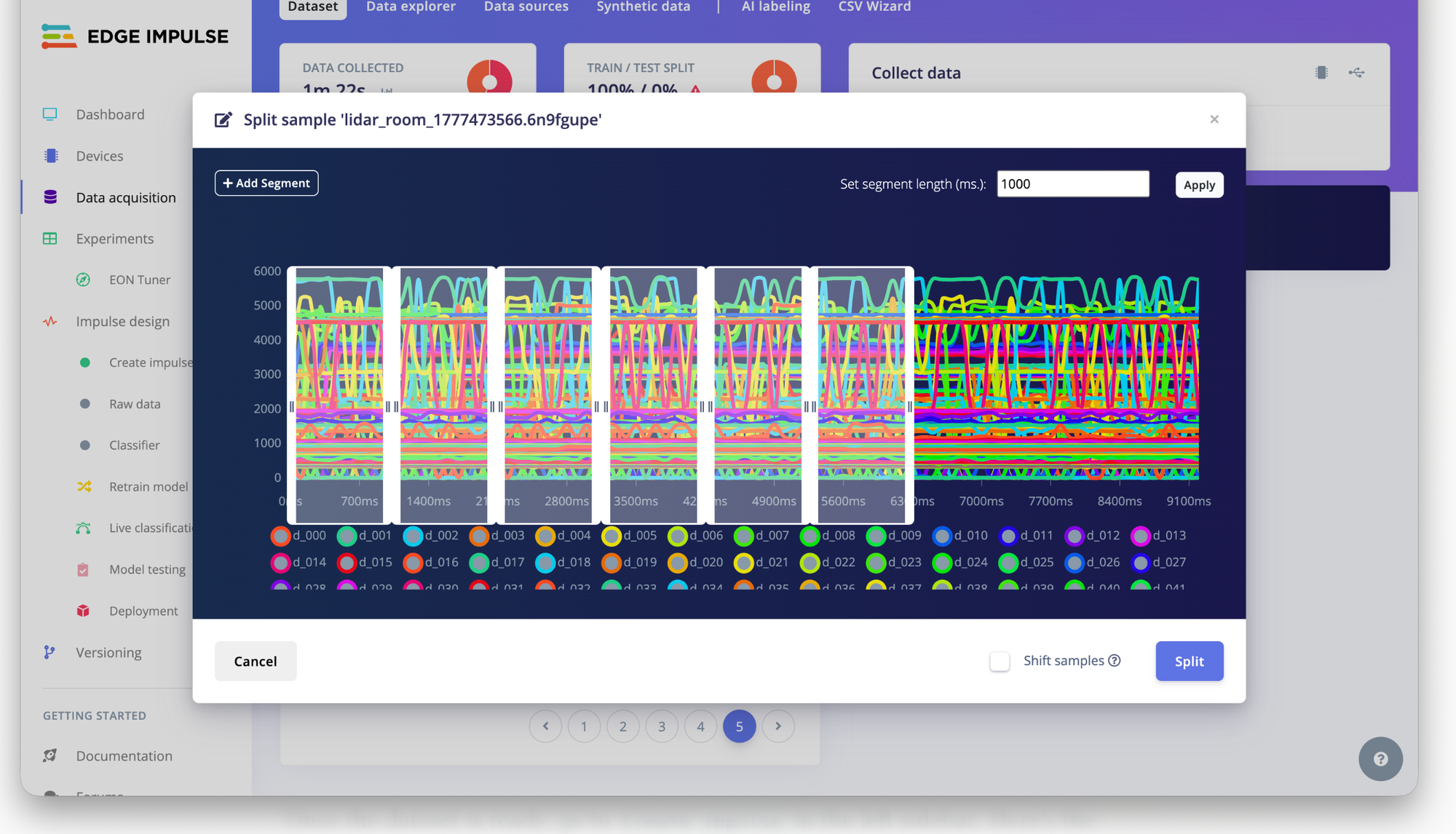
Click the 3 dots and select Split Sample and then inside the sample, click + Add Segment and manually create the 1000ms segments. Afterwards click Split.
Once done, remember to have the training set and the test set (80-20%).
Train the machine learning model in Edge Impulse Studio
Once the dataset is ready, go to Create impulse in the left sidebar. Here's the recommended setup:
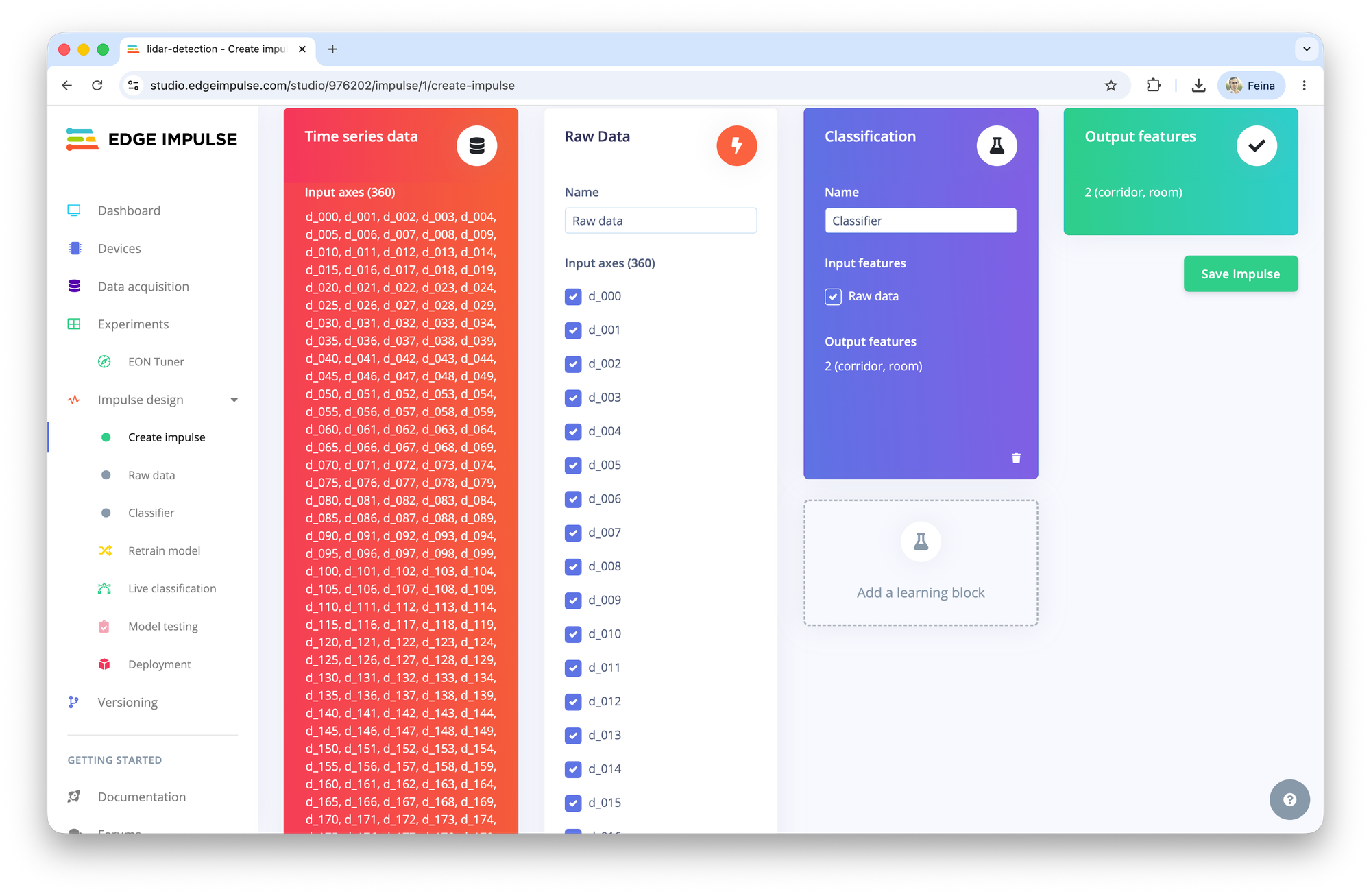
Remember that this LiDAR is capturing the 360 degrees with distances, so we will have 360 inputs of 1 second.
Processing block
Select Raw data (our distance profiles are already meaningful features — no spectrogram or FFT needed)
Learning block
Select Classification for room classification.
Click Save impulse, then go through the parameters and features.
Parameters and Features
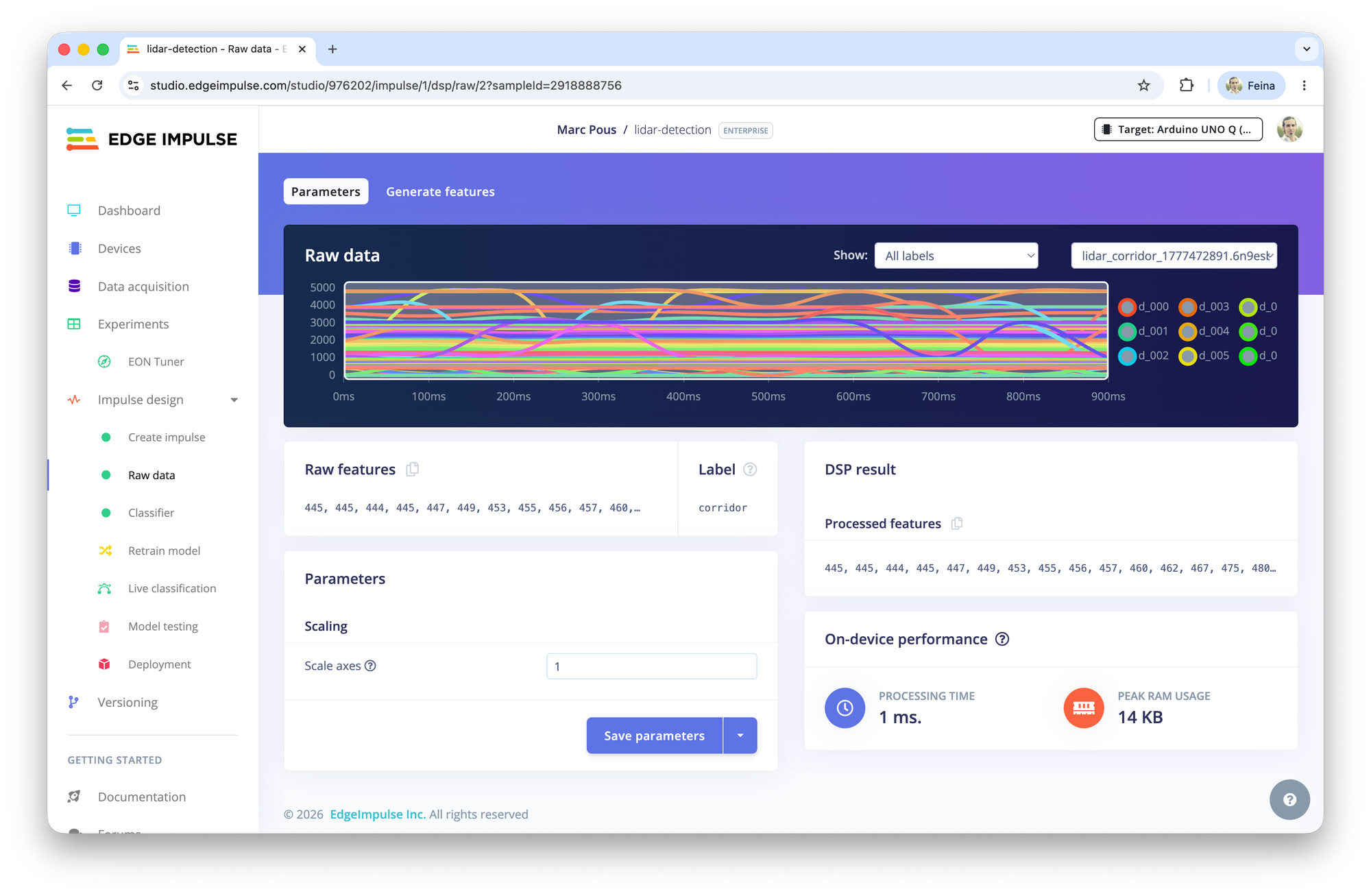
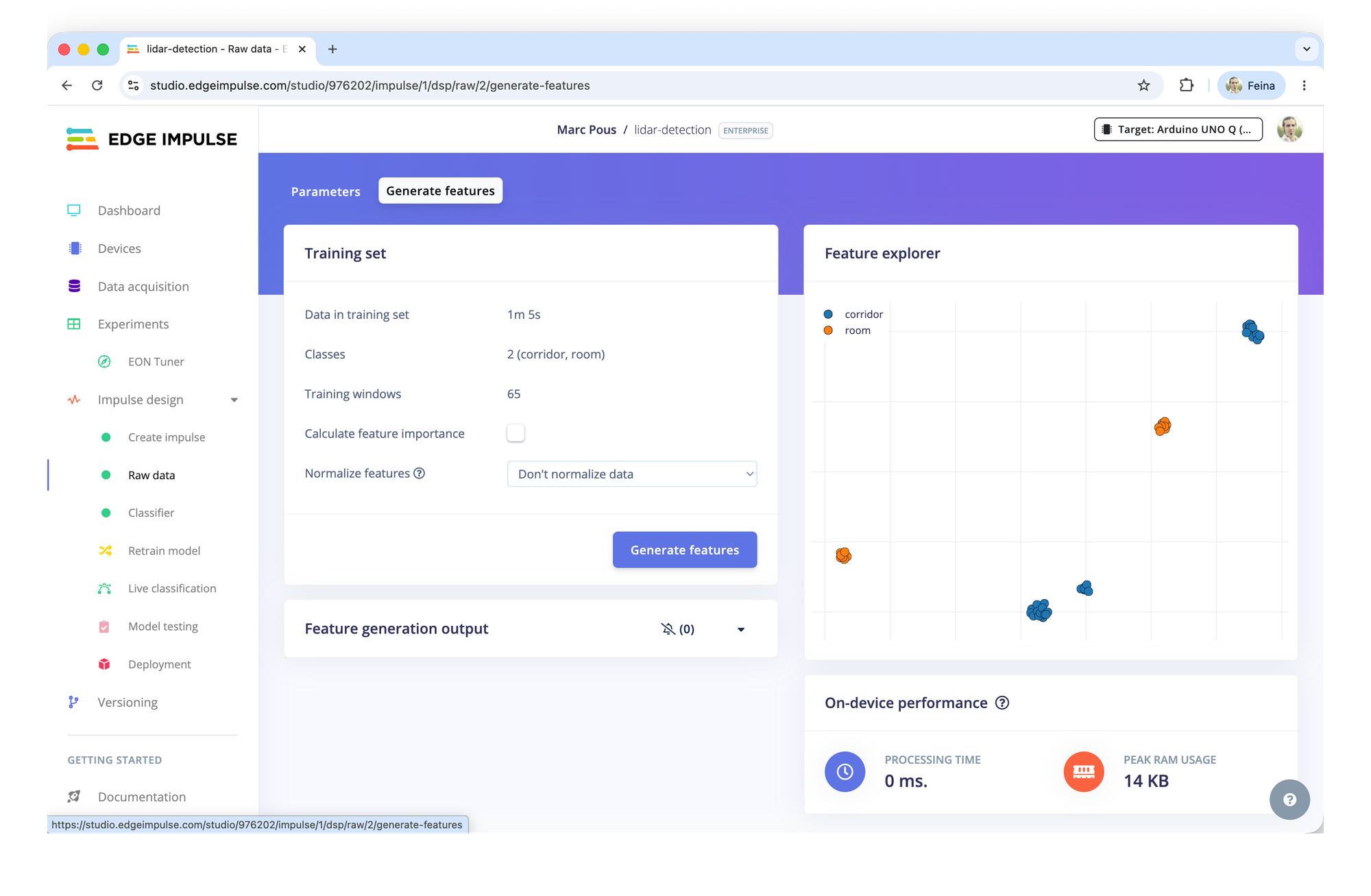
Find here the features generated with this 2 classes model.
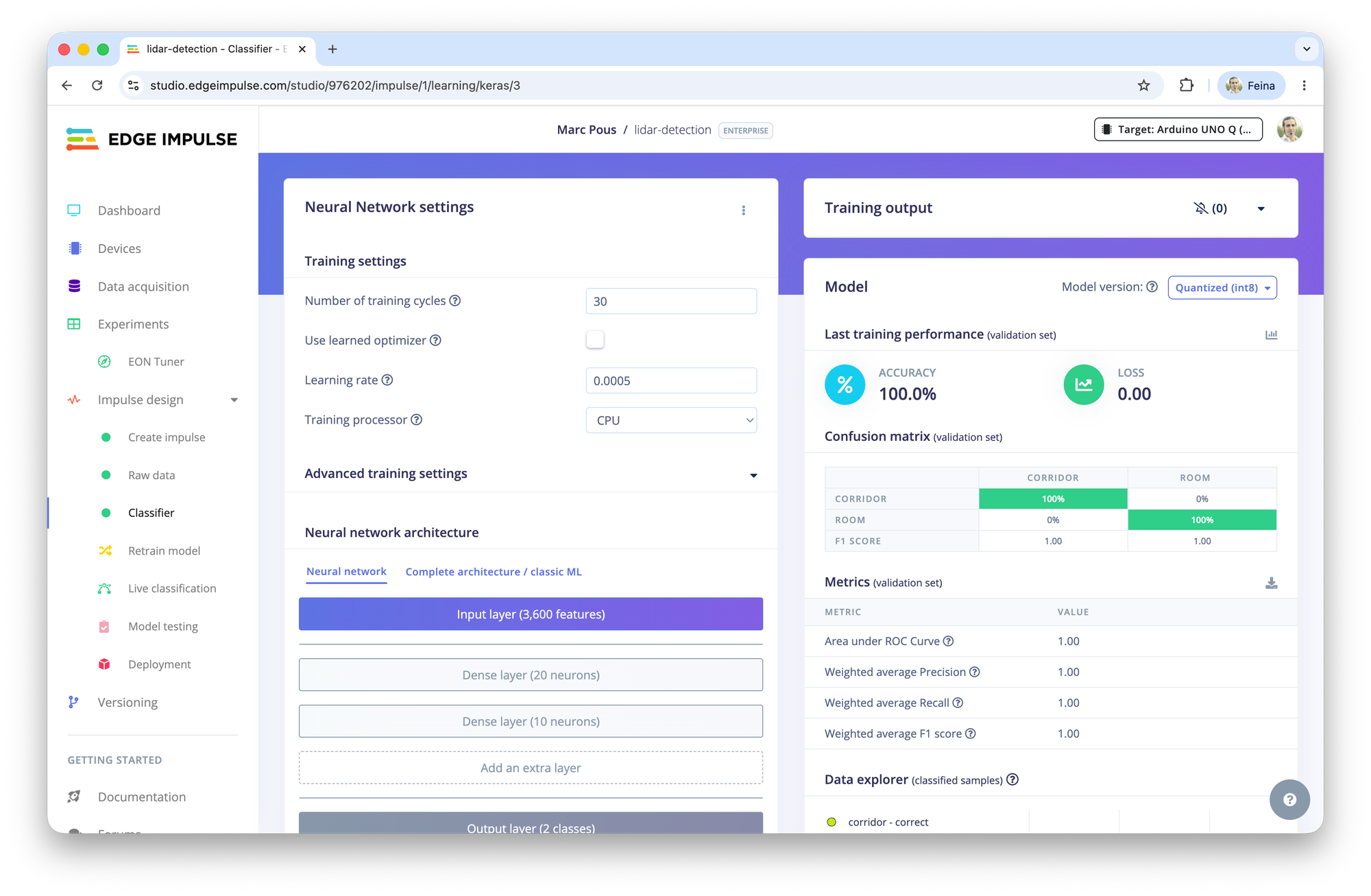
Train and Deploy the machine learning model
Finally train the Neural network of the classifier. In this case we have a 100% accuracy that we will test in the real environment.
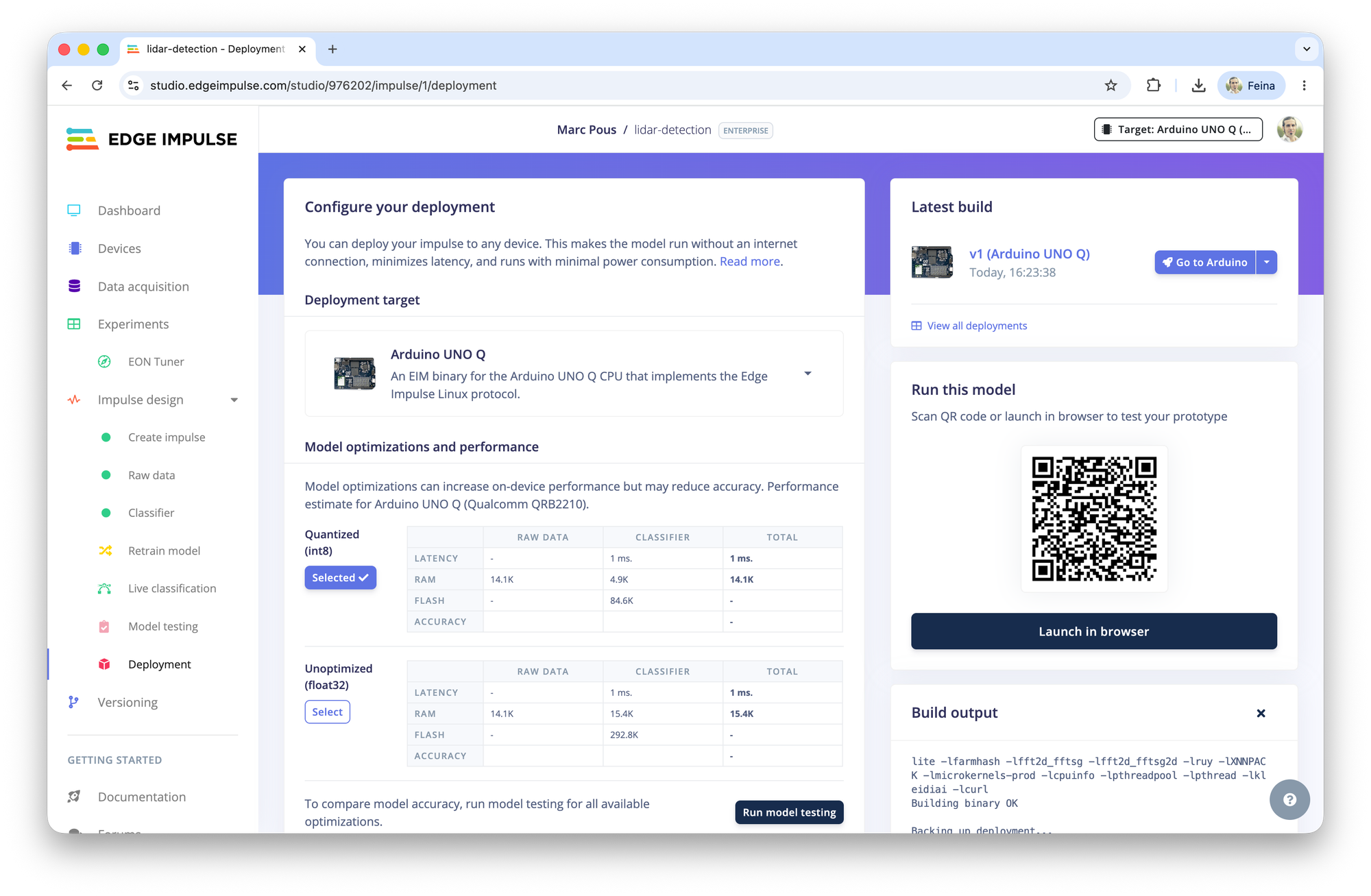
Finally go to Deployment and Build a model for Arduino UNO Q.
Run inference with the Arduino UNO Q to detect rooms
Once the model is deployed to the Arduino UNO Q, switch the LiDAR mapper application to inference mode and start moving between the different rooms and environments used during the training.
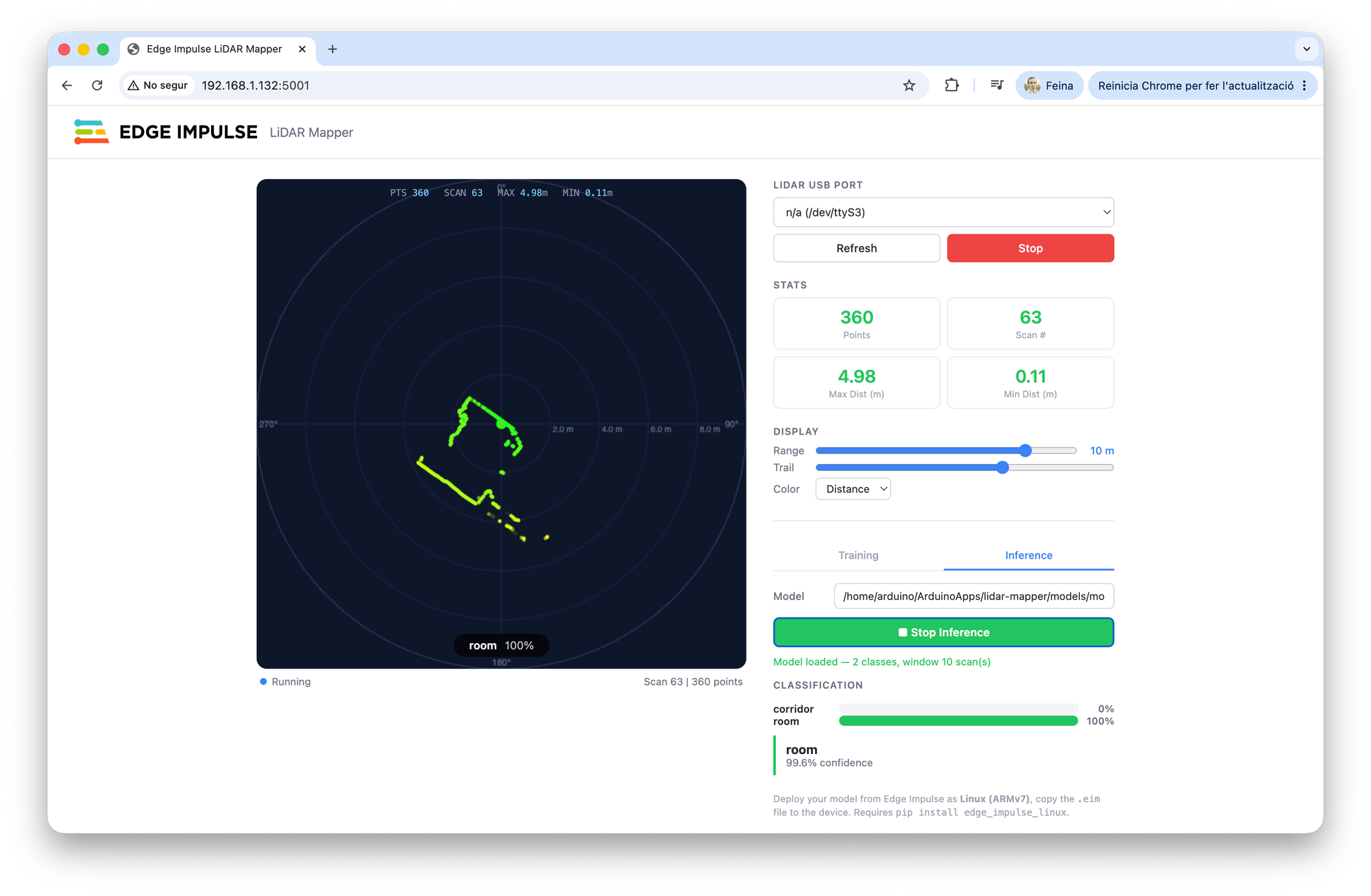
In our tests, the model correctly identified both the corridor and the room in real-time. Each 360 degrees LiDAR scan creates a unique distance profile within the surrounding space, allowing the neural network to distinguish between environments without map, camera, GPS or explicit location information.
The inference is running entirely on the Arduino UNO Q, with predictions generated in few milisecond. This means the device can continuously classify its surroundings while consuming minimal bandwith and preserving privacy since no sensor data needs to leave the device.
Although this project uses a 2D mechanical LiDAR, the same workflow can be applied to any LiDAR technology, including indirect ToF sensors, depth cameras or higher resolution 3D systems. As long as the sensor produces consistent distance measurements, Edge Impulse provides an ideal platform to collect data, train machine learning models and deploy them directly to edge devices.
This is the power of the EdgeAI: transforming raw sensor measurements into meaningful awareness with ultra-low latency, directly where the data is generated.
What’s next
This project demonstrates a simple room recognition system, but it only scratches the surface of what’s possible with LiDAR technology and edgeAI. Similar techniques could be used for robot indoor loation, zone detection, anomaly detection, and more robotics applications.
Have you built something similar? Are there LiDAR use cases with edgeAI? Would you like to see more tutorials towards that direction?