
Ok, so never one to let a buzzword go unturned, I had a proper play around with ClawdBot … I mean, MoltBot, err OpenClaw (or has the name changed yet again?).
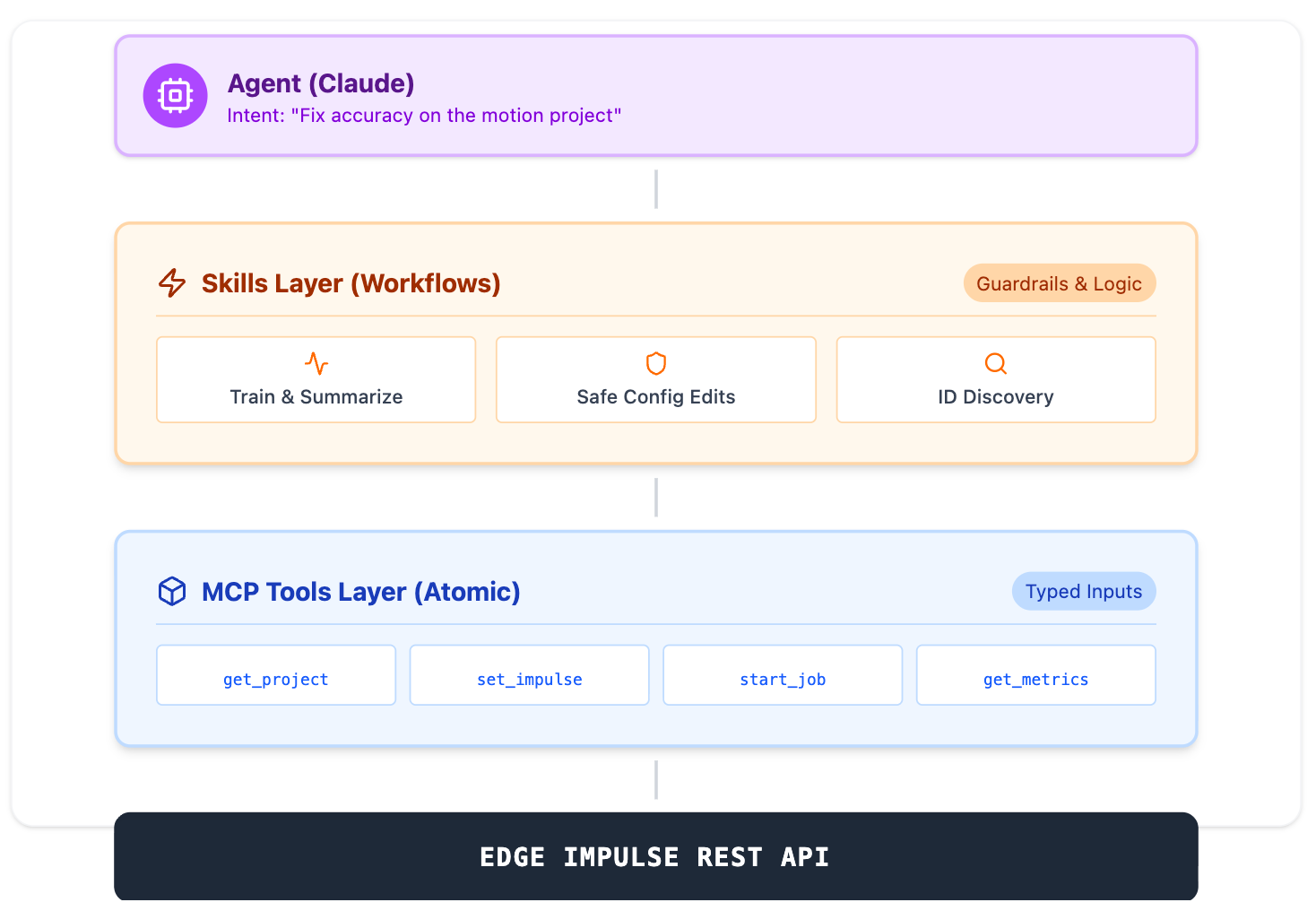
OpenClaw is a self-titled "AI Assistant." You can think of OpenClaw as the gateway to your agentic interface via WhatsApp or your other chosen supported messaging tool. The real technology behind the "Agentic" buzz at the moment is MCP (Model Context Protocol), which governs what actually happens in this new type of Agentic ecosystem; it standardizes how an agent calls real tools with typed inputs from LLM prompts. On top of that, some runtimes (like OpenClaw) add a "Skills" layer: small, guard-railed workflows that chain multiple tool calls into repeatable automations. on top of this, defined and customized further locally. It's a rapidly developing concept, and I wanted to understand what happens when you wire an agent into a real platform API, so I built my own to find out.

I’d been a bit disillusioned with GenAI lately (especially with what is happening on social media platforms), but the “Agentic” angle gave me some hope again: not “write my homework”, but improve real workflows — configuration, optimization, orchestration, integrations.
I approached this with a simple question:
Can I make a Claude agent act like a natural-language control plane over Edge Impulse Studio?
Not a demo that calls one endpoint — something that can move through the end-to-end Studio workflow: projects, data, DSP blocks, training jobs, results… the lot.
Turns out: yes. And it surprised me how well it performed:
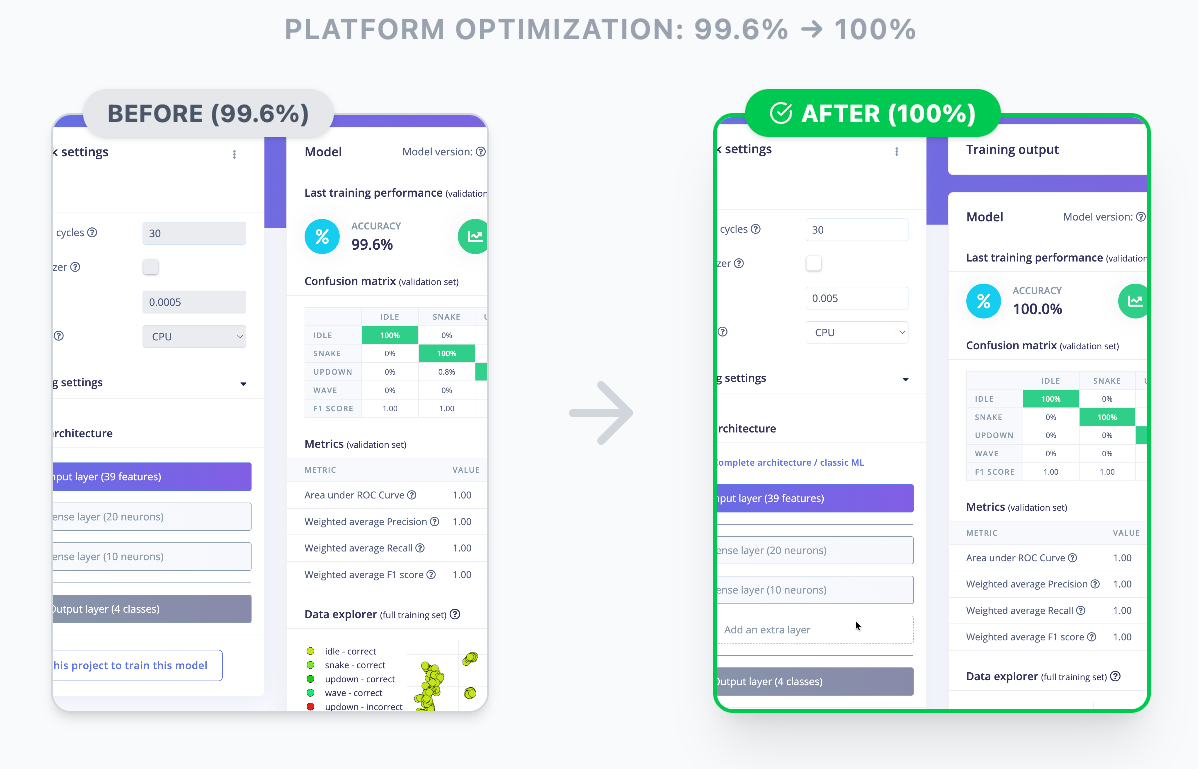
MCP is basically a standard way to expose ‘tools’ to an agent. The agent is what will interact with the tool for you. Let's try to define some of the buzzwords:
What is MCP (and what’s an MCP server)?
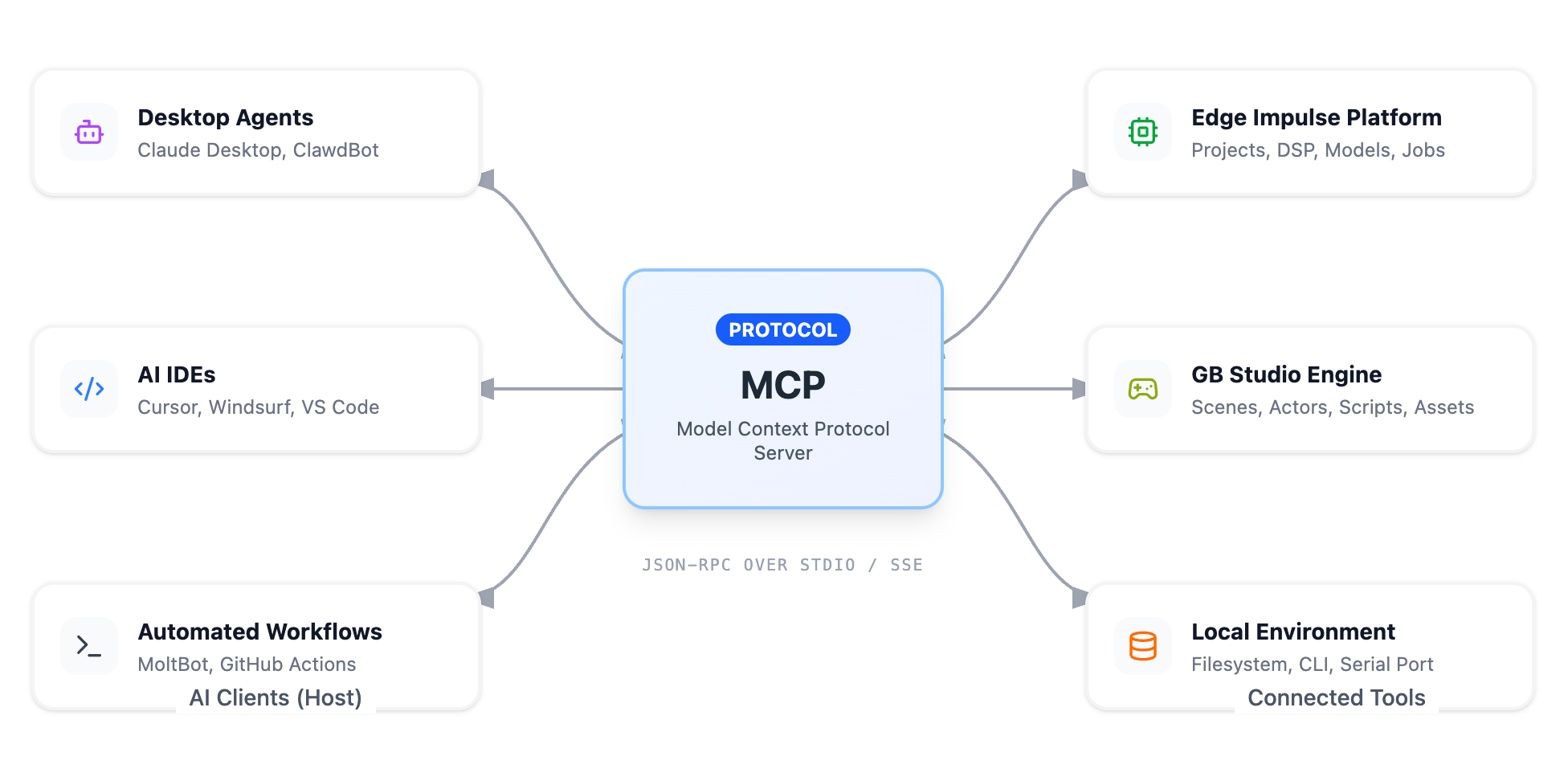
Model Context Protocol's intro doc "What is the Model Context Protocol (MCP)?" is a great place to start.
The gist: MCP is a standard interface that lets an AI agent (a model that can take actions) call tools. In practice, it works like this:
- You expose a set of typed functions (“tools”)
- The agent calls them with structured inputs
- Your server translates that into real actions (API calls, file reads, job polling, etc.)
In other words, an MCP server is basically a thin layer that turns your platform into a toolset an agent can use safely and repeatably.
No magic. The value comes from what you expose and how well you design it.
What Makes AI “Agentic”?
Traditional AI interactions are simple: you ask, it answers. Agentic AI goes further: it connects to external systems, performs tasks, and operates across the tools you already use.
In practice, “agentic” means the model can use tools, execute multi-step workflows (plan > act > verify > revise), and produce inspectable artifacts (projects, diffs, logs), rather than just create text outputs.
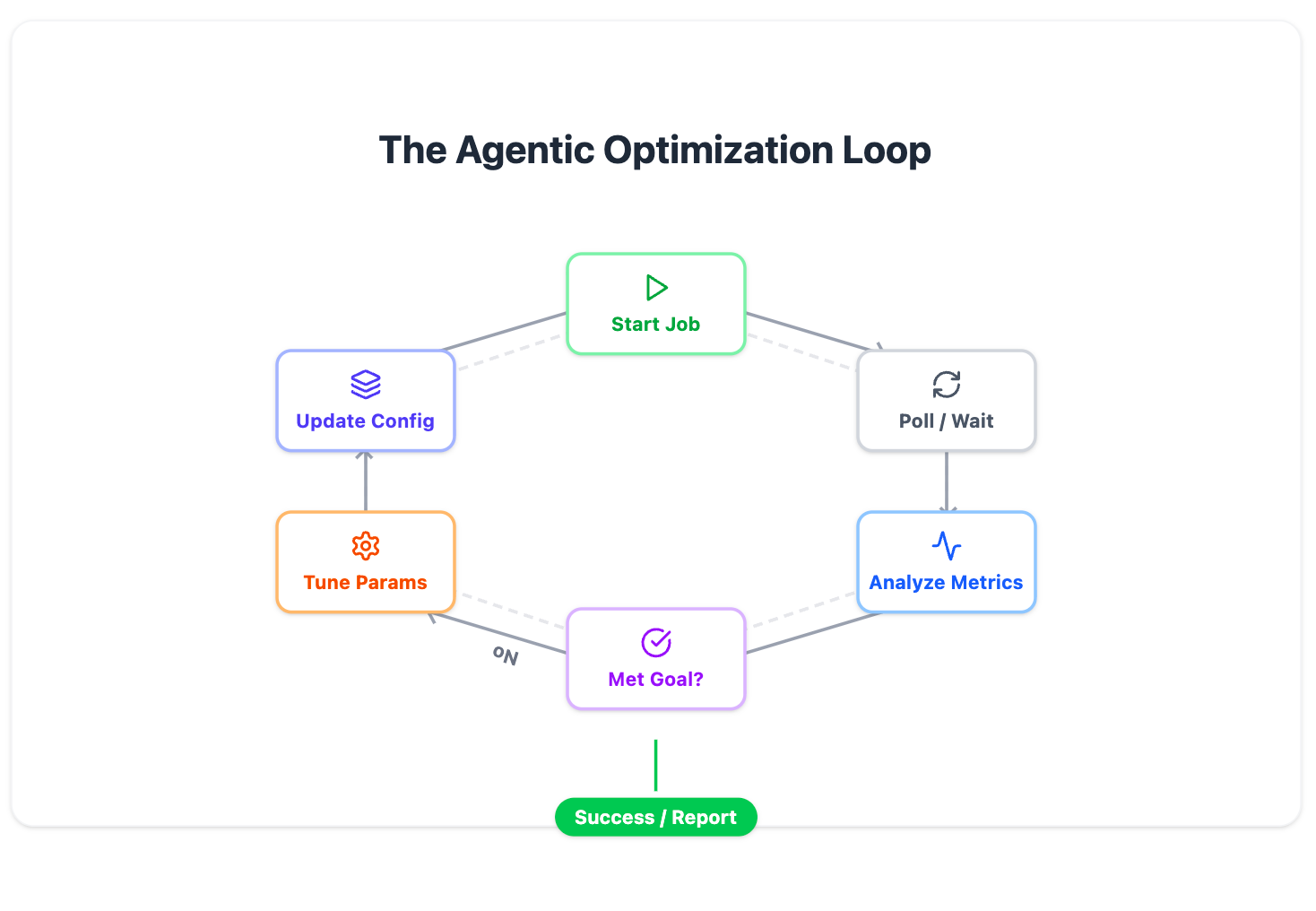
As mentioned, the key enabler for these integrations is a standard interface, which in our case is MCP.
“Skills” vs tools (what makes this usable)
The part that actually makes an agent useful day-to-day is actually a layer above the agent: skills.
A skill is just a small, guard-railed workflow, made up of multiple tool calls — the stuff a human would normally do across a few tabs and a couple of scripts. For example:
- Train + wait + summarize: start a training job, poll until it completes, then summarize what changed
- Safe config edits: validate inputs, apply DSP/window changes, re-run training, and report the diff
- ID discovery helpers: list blocks, pick the right learn block, confirm org/project context before doing anything destructive
Tools are the building blocks. Skills are the repeatable “do the thing” workflows that make the agent feel like a control plane instead of a fancy HTTP client.
That’s also where you can add guardrails: confirmation gates, least-privilege scoping, and “no surprises” defaults.
What I built
I hacked together an internal proof-of-concept MCP server on top of our REST API (driven off the Postman collection, a suite of all of the calls our product can invoke programatically over HTTP, so none of our source was exposed on a personal machine).
In this POC, I kept the low-level tools close to the REST API, then added a handful of skills for the workflows agents repeatedly try to do (train, wait, tune, compare).
It let Claude do things like:
- create and configure projects
- set up DSP and windowing settings
- tweak training hyperparameters
- start jobs and wait for completion
- iterate based on results
MCP Server response
In practice, you give it the essentials — API key, project/org context, block IDs — and then you can ask questions in plain English like:
“Train this project, optimize for accuracy under constraints, and tell me what changed.”
What surprised me wasn’t that it could call the API. It was that it could reason across the whole workflow and make sensible adjustments to both ML and DSP settings.
How I got it working (without it scamming me)
The key wasn’t MCP. The key was engineering discipline so the agent couldn’t bluff its way through.
I essentially did three things:
1) Walk the REST API and stub everything
I walked the Postman collection and stubbed out a mock server so I could iterate without hammering real jobs or dealing with latency while still shaping the tool surface.
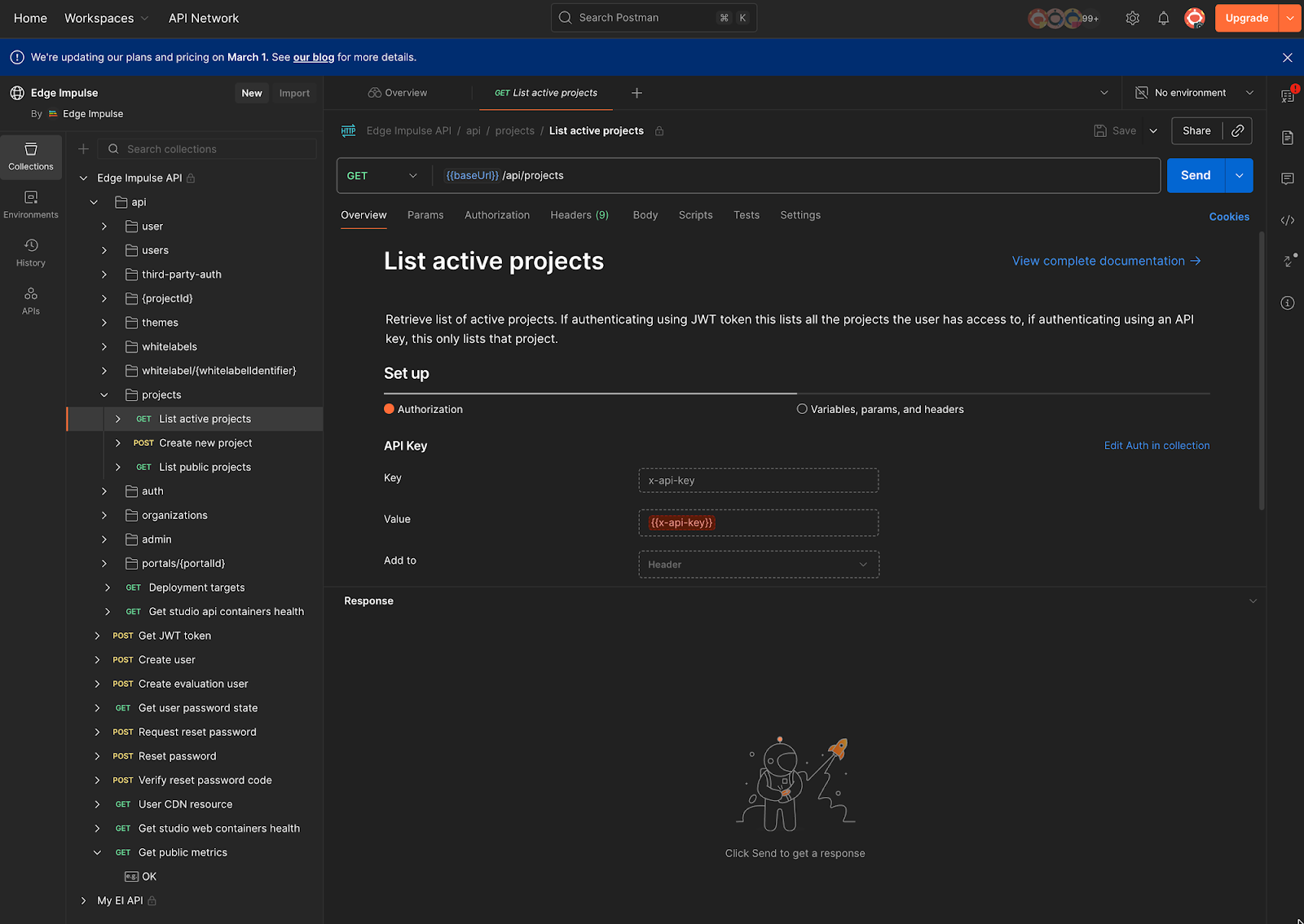
Postman template of REST APIs available here: postman.com/edge-impulse/edge-impulse/request/1i8sjia/list-active-projects
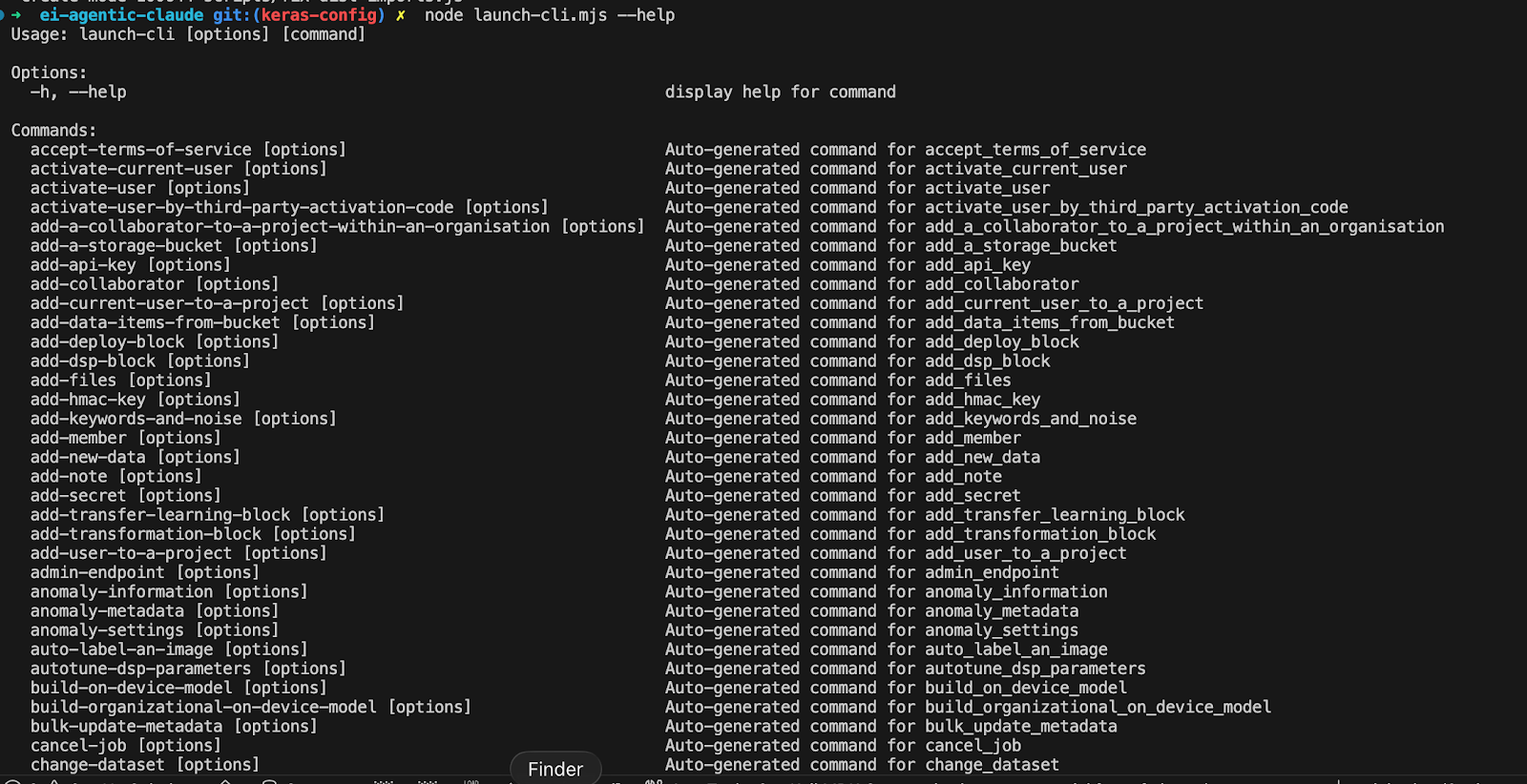
Above, you can see the list of commands I created from the stubbed-out CLI, which is now MCP Server-ready and can perform all REST API calls via the CLI.
2) Force tests for every tool
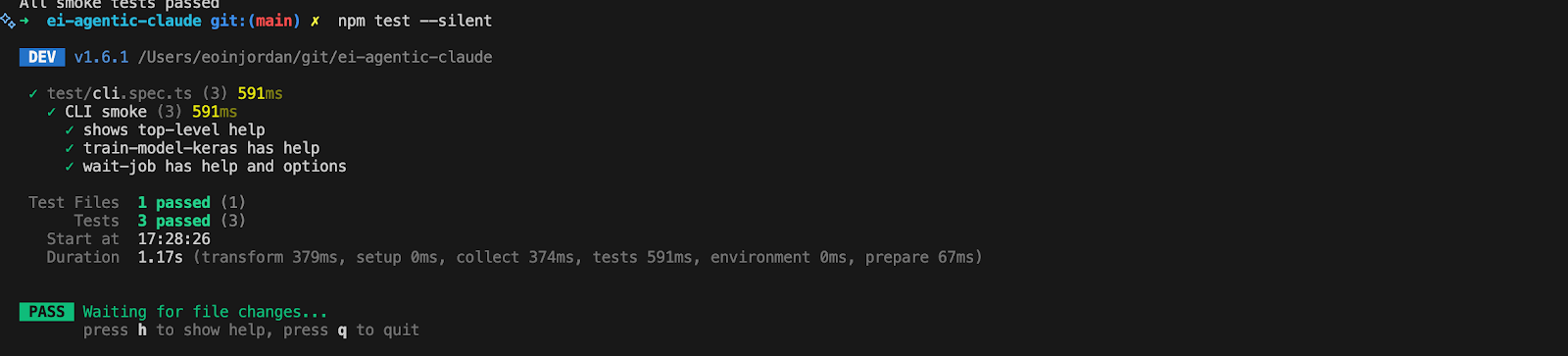
Testing framework:
I made it generate test cases for each tool: happy path, failure path, missing params, and weird edge cases.
This was the biggest unlock. Without tests, the agent will happily “move forward” on assumptions, and you only find out later that it was operating on nonsense. With tests, I could pin down whether a failure was:
- my MCP wrapper
- the underlying endpoint behavior
- or the agent doing something silly
3) Add a few “agent-friendly” helpers
Once I moved from stubs to the real API, I added a couple of practical helpers:


- Waiting/polling on long-running jobs
- Clear org vs project scoping
- Stricter parameter validation
The public Postman templates were pretty much all I needed to get the coverage. The rest was just making it reliable in the real world.
This took about five evenings of work, with a bit of faffing early on to stop my copilot from inventing nonsense in the stub layer. Once tests and the mock server were in place and I had a way to properly validate, progress got a lot smoother.
What it’s good at
In my limited testing so far, it’s genuinely useful for:
- turning the API into a conversational interface (especially for “do X across projects” tasks)
- configuring a project end-to-end when you already know the target and constraints
- iterating on training settings quickly and repeatably
- being a bridge for MLOps-style integration / A2A workflows, where the “operator” is another system or agent
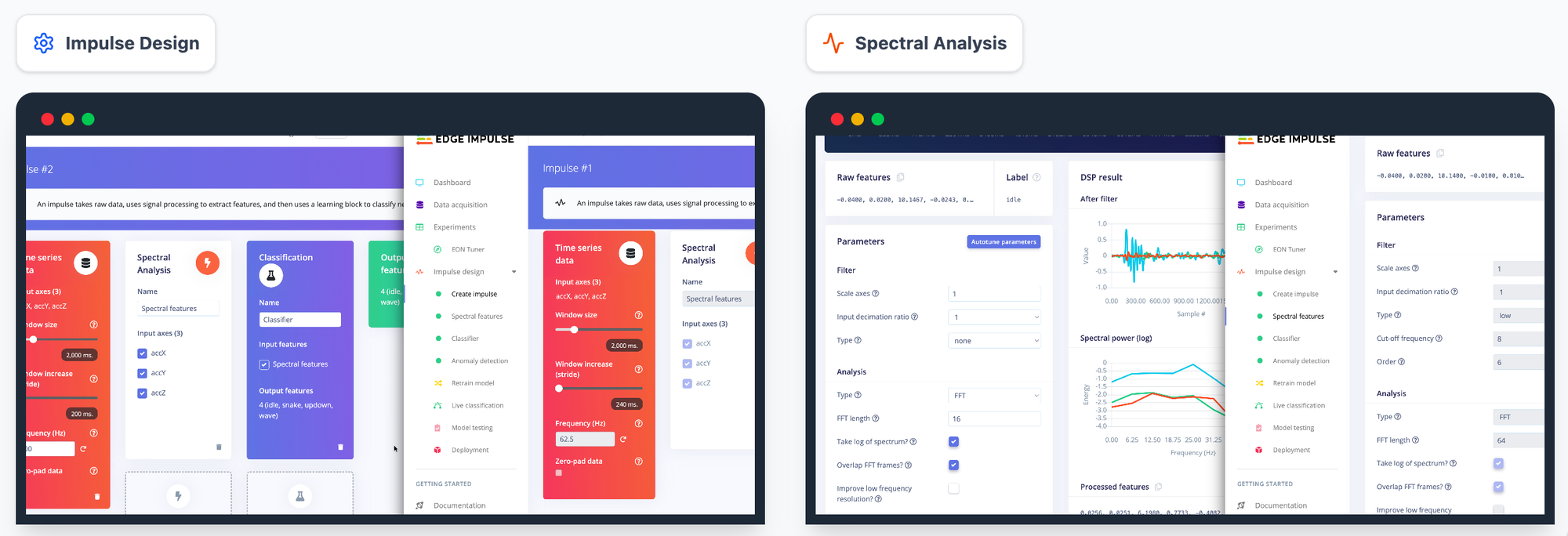
It’s not a replacement for deterministic pipelines, but it’s a very real productivity layer for interactive workflows.
What still leads to bottlenecks
The main shortcomings I hit weren’t capability — they were plumbing:
- IDs everywhere: block IDs, project IDs, org numbers
- job timing: long-running training needs good “wait / status / retry” patterns
- state management: agents can lose context unless you design around it
So the control plane works, but the experience improves massively if you give it better ways to discover and hold onto IDs, and if you bake in patterns for job orchestration.
Also worth noting: this was mostly tested on “normal” use cases. The next obvious stress test is something that needs more domain context — e.g. a harder vision problem where good choices depend on understanding the data and failure modes, not just toggling knobs.
Key takeways?
The takeaway for me isn’t “Agentic is the future.” It’s that once you have:
- a complete API surface (we do)
- a solid spec (Postman collection)
- and you wrap it as tools with tests and guardrails…
…you can get surprisingly far with a natural-language control plane over a complex ML platform.
And you should still be careful.
Tool-connected agents are powerful. If you’re doing anything production-adjacent, you need: least privilege, auditing, confirmation gates for destructive actions, and sane rate limiting.
Next steps
Next, I want to push it on a tougher vision use case and see where it breaks; not “can it call the API,” but “can it make the right choices when the problem needs more context than the spec provides.” Right now, that part isn’t very reliable.
This POC isn’t intended to be shared as a supported integration — it was my own experiment — but I’m keen to hear what the community thinks about this direction in general:
- Would you use an agent as a control plane for Studio workflows?
- What’s the first workflow you’d want it to automate?
- Where do you draw the line (what should never be agentic without explicit confirmation)?
Also: if you’re working on MLOps integrations or A2A workflows and you’ve been wondering how much API alone can achieve — honestly, a lot.
Related: GB Studio MCP Server
If the “tools vs skills” framing resonates, I’ve shipped a real example of this pattern outside Edge Impulse.
I published an education-focused MCP server for GB Studio (a visual Game Boy game builder) where the agent isn’t just calling low-level tools — it’s using skills: small, inspectable workflows that create tangible artefacts students can review in an editor.
While I don’t see this Edge Impulse skill as public-ready yet, I’ve taken time to go end-to-end on personal project skills, and I see these as valuable for educating “Generation AI” — and introducing these patterns as part of IT and AI literacy.
- Install: npm install -g gbstudio-claude-mcp
- Git Repo (How I made it): https://github.com/eoinjordan/gb-studio-agent
The intent is the same as this Edge Impulse POC: keep actions testable, outputs inspectable, and workflows guardrailed, so the agent supports learning and iteration rather than replacing thinking.
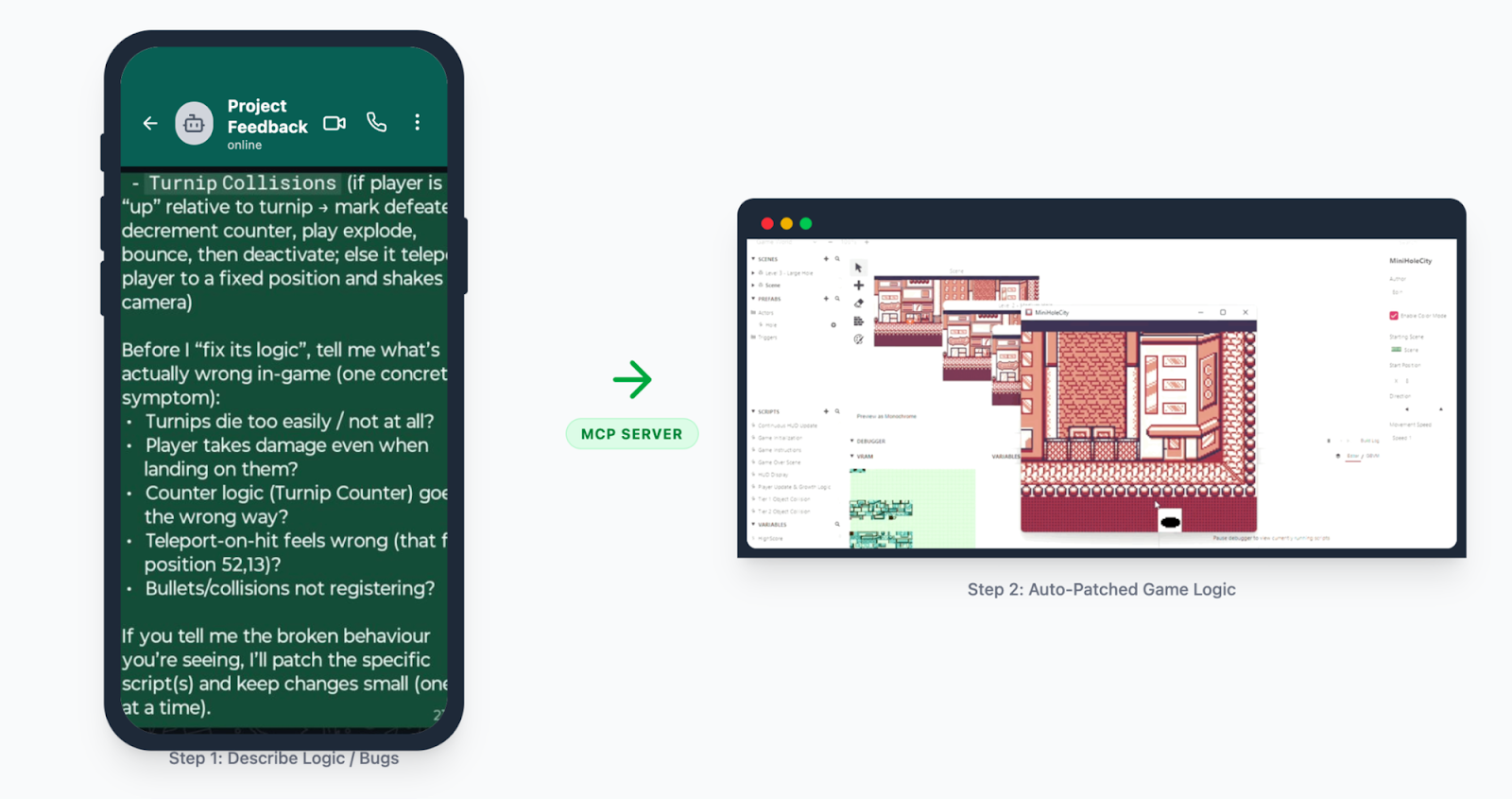
GB Studio Skill in action, debugging a scene I created
If you want the deeper “skills + tools” education angle, I wrote that up here: Agentic AI: Empowering the Next Generation with Skills and Tools (LinkedIn): linkedin.com/pulse/agentic-ai-empowering-next-generation-skills-tools-eoin-jordan-ie0bf