
PyTorch was long associated with research and the ML community, TensorFlow with the engineering of wearables and industrial automation. And moving a PyTorch model onto embedded hardware (anything beyond a Linux-based board) ultimately meant deploying through LiteRT or TensorFlow Lite for Microcontrollers.
There’s now another option: stay inside the PyTorch ecosystem with ExecuTorch.
This post is the first in a series looking at what that means in practice. I'm also excited to introduce Ivan Sekyonda, a new member of the team and PyTorch contributor who brings deep experience with the framework. Ivan will be sharing more across the upcoming tutorials and events.
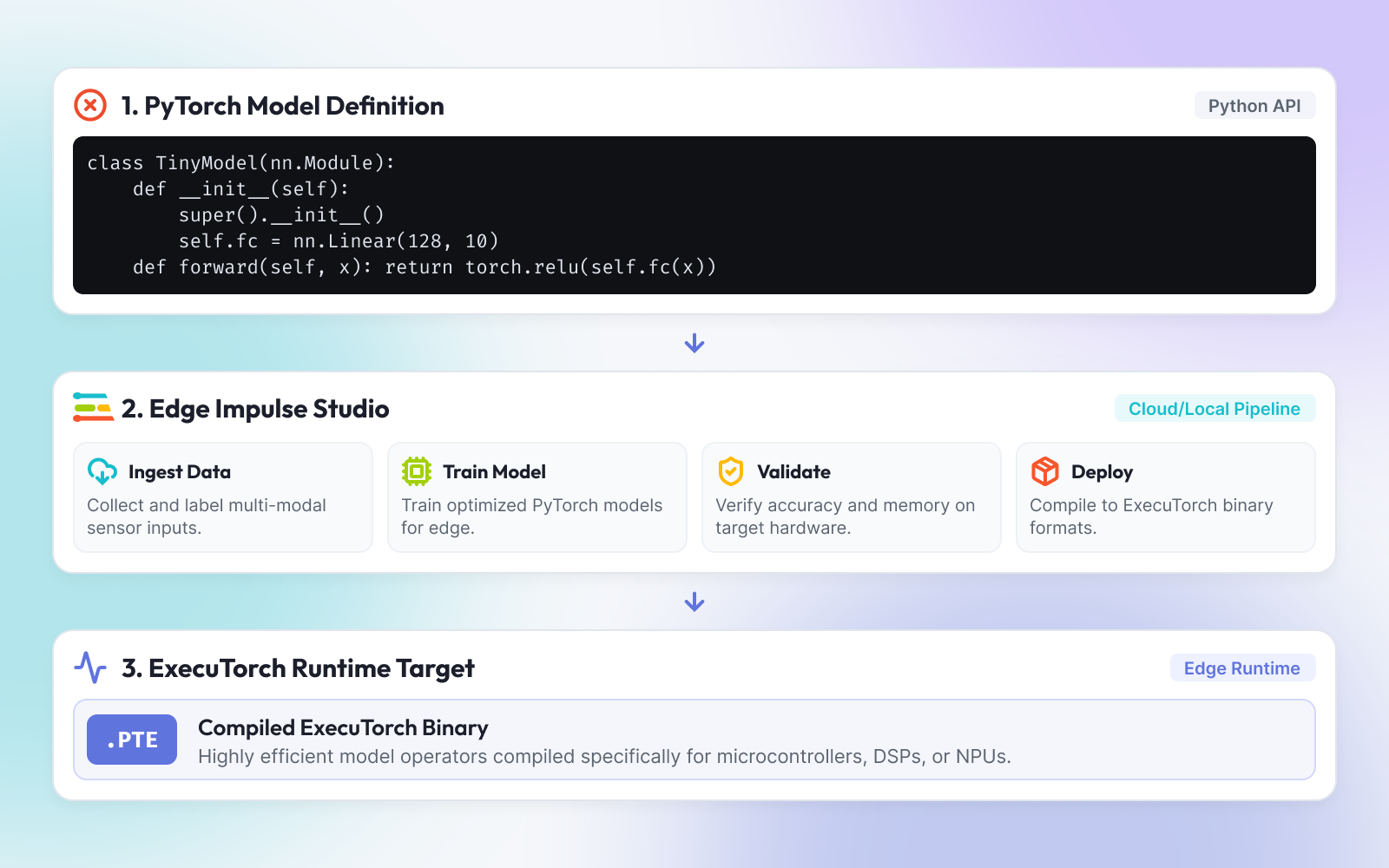
Why explore PyTorch now for Edge AI?
If you have trained a model in PyTorch and deployed (tried to deploy) it on an edge device, then you know the pain. You spent weeks in a framework built for iteration, eager execution, Python control flow, a debugger that actually worked, and then you hit the handoff. The model has to leave PyTorch and run on a device with barely any compute or memory and debugging might as well be spelt as “headache.”
Historically this flow meant an export to ONNX or TFLite, a conversion step, and a class of bug that only appears on the other side of the conversion.
ExecuTorch is PyTorch's answer to this workflow, and it reached 1.0 general availability in October 2025.
Over here at Edge Impulse, we've been building the pieces that connect it to our framework, and this is the opening of that story: what ExecuTorch is, why a PyTorch developer should care, what we've shipped so far, and what we haven't optimized yet.
What is ExecuTorch?
ExecuTorch is PyTorch's on-device runtime. The pitch is specific: take a PyTorch model from any domain and deploy it directly onto edge devices without converting to another format or rewriting the model.
That "without converting" clause is the whole design. The ExecuTorch team is explicit that avoiding intermediate conversions is the main design principle, because conversion steps cost developers debuggability and profiling, force them to learn hardware-specific tools, and sometimes fail outright.
Mechanically, it's three steps: capture the model as a graph, compile that graph into an executable ExecuTorch program, then run it on-device.
How PyTorch and TensorFlow ended up in different places
TensorFlow led with a static graph. You defined the computation, then executed it, making it portable. It can be saved, loaded, and run across servers, mobile, and embedded targets because it encapsulates the whole model structure. That property is exactly what made TFLite and TensorFlow Lite Micro possible.
PyTorch led with the opposite choice: define-by-run. The graph is constructed as operations execute. Standard Python debuggers work, Python control flow works inside model code, and iteration is fast. That won the research community over but it meant that for years there was no single portable artifact to hand to a device. PyTorch's edge story ran through TorchScript or an ONNX export, both of which are, in the end, conversions.
So the frameworks arrived at edge deployment from opposite directions. TensorFlow was hardware-adjacent early and made research ergonomics catch up. PyTorch was research-first and is now making deployment catch up. ExecuTorch is the serious version of that catch-up: rather than exporting out of PyTorch, it makes a PyTorch-native artifact the deployable thing.
Where Edge Impulse already sits in that picture: our EON Compiler was built on the TensorFlow lineage. It takes a LiteRT (formerly TensorFlow Lite) flatbuffer and emits .cpp and .h files with unpacked weights and inference functions, this removes the interpreter and thus the weights shift into ROM more easily. This means the linker can eliminate code it can prove is unused. That path is mature and it isn't going anywhere. ExecuTorch is not a replacement for it. It's a second runtime for a different set of targets and, for a PyTorch shop, a way to keep one toolchain from training through deployment.
What we've built so far
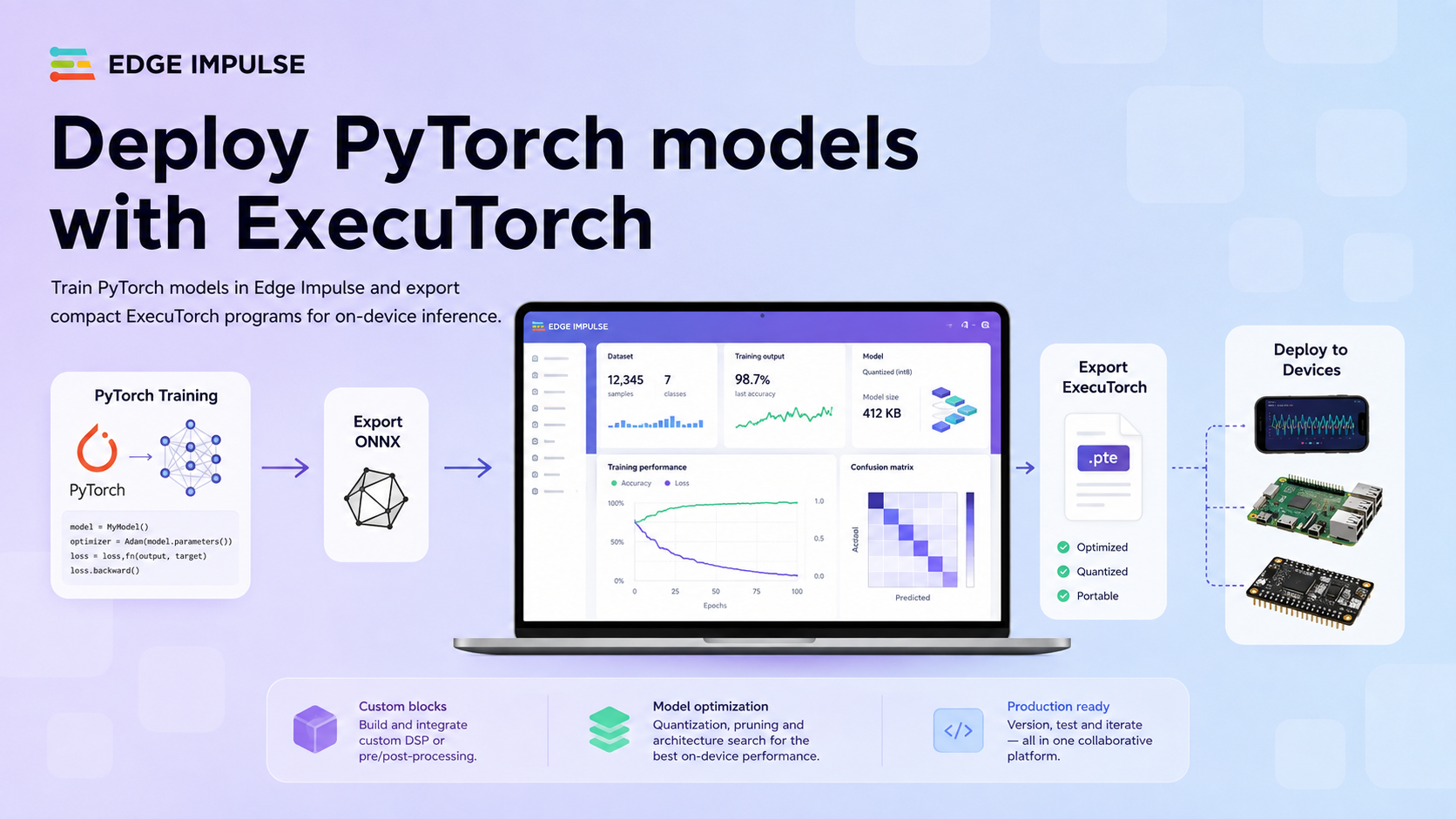
We've published a set of custom blocks that put a PyTorch training pipeline inside Edge Impulse and let you take the trained weights out as an ExecuTorch program.
There are two kinds of block here, and the distinction matters: PyTorch/Excutorch compatible ML Blocks and an Excutorch Deployment Block. These all are required to create the PTE package needed to run on the sample Android App. We will get into that more in the next section.
Custom learning blocks train your model in Studio. We have four public today: Timeseries, Classification, Object Detection FOMO, and KWS
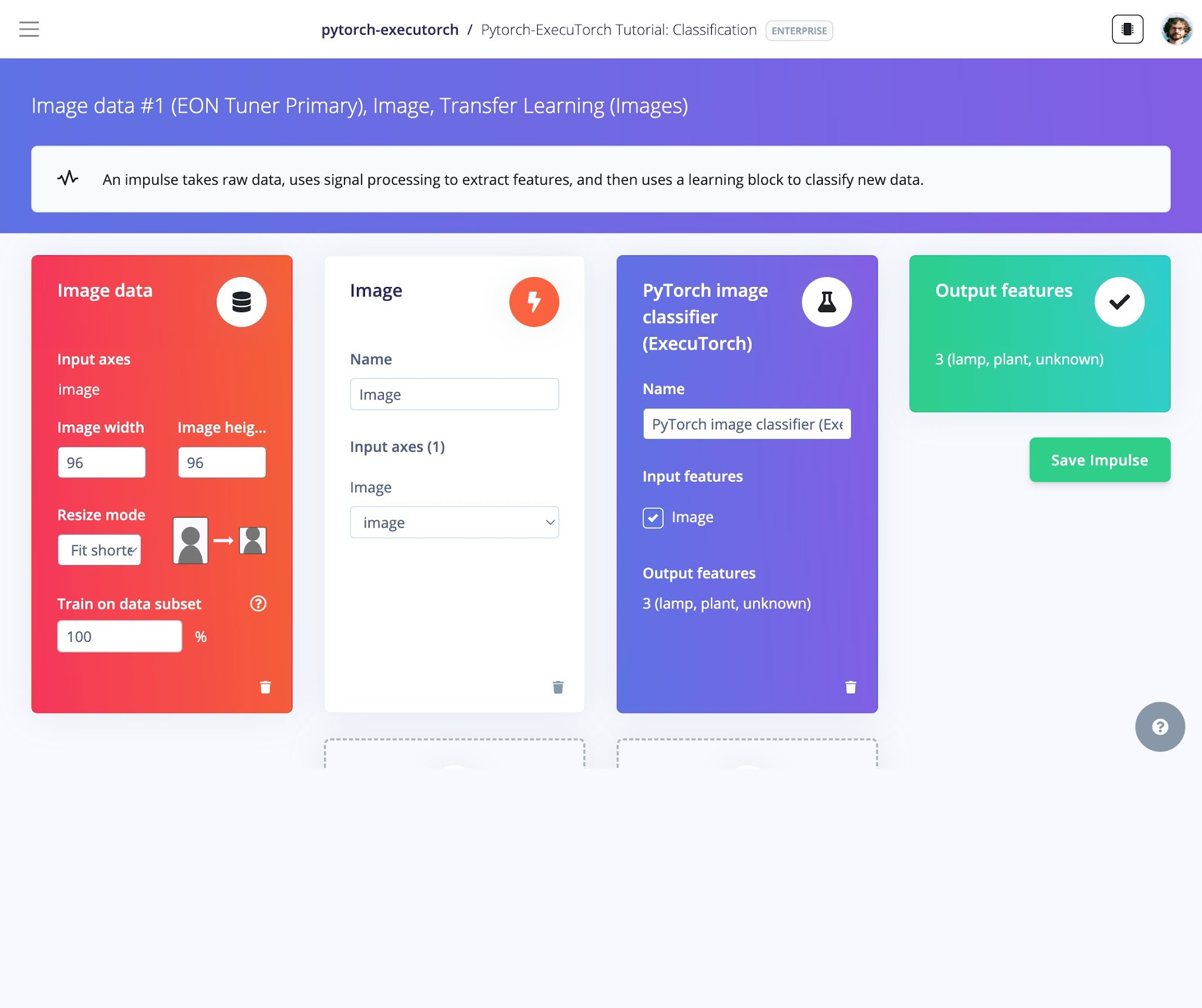
Each learning block emits two artifacts:
model.onnx: Consumed by Edge Impulse. Studio ingests ONNX from custom learning blocks natively and automatically converts it to both unquantized and quantized TFLite. From that point the project behaves like any other: EON Compiler, C++ library, ready-made firmware, the whole Deployment page.
model.pte: The ExecuTorch program, exported directly from the trained PyTorch model with torch.export and lowered with the XNNPACK partitioner. This one is not used by the Edge Impulse SDK. It exists so you can carry the same weights into a native ExecuTorch runtime.
One practical note if you write your own block: Edge Impulse hands image data to your block as NHWC, so a PyTorch model needs to transpose to NCHW before training. However you don't need to worry about it on-device, because as long as your block outputs ONNX, the required transpose is handled for you in the SDK.
Custom deployment blocks package a trained impulse for a target. Ours (executorch-deploy) adds a .pte export option to the Deployment page. Because it has to work with impulses that weren't necessarily trained in PyTorch, it takes the ONNX model Edge Impulse produces, converts it back to PyTorch with onnx2torch, and lowers that to a .pte.
Setting a baseline
Here's where we actually are. These are .pte files exported from the exact architectures above, at float32, with no quantization and no tuning.
Exported with ExecuTorch 1.3.1 / PyTorch 2.13.0, float32, batch size 1. Sizes are the .pte files on disk.
The useful read here isn't any single number, it's the shape of the result:
A .pte is essentially your weights plus a small program. Across these models the overhead over raw fp32 weights runs about 3.5–11 KB.
From the numbers above you can deduce that the biggest win available to us is one we haven't taken yet. Everything above is float32, and ExecuTorch supports int8 quantization natively through torchao rather than as a separate conversion step.
Quartering the weights and holding overhead constant predicts roughly 3.5× reduction on the vision models and closer to 2.3× on Conv1dNet, a meaningful win. We'll publish measured numbers rather than this arithmetic once the quantized path is validated.
What's next
This release is a floor, not a ceiling. Here's what we've already changed and what's still ahead.
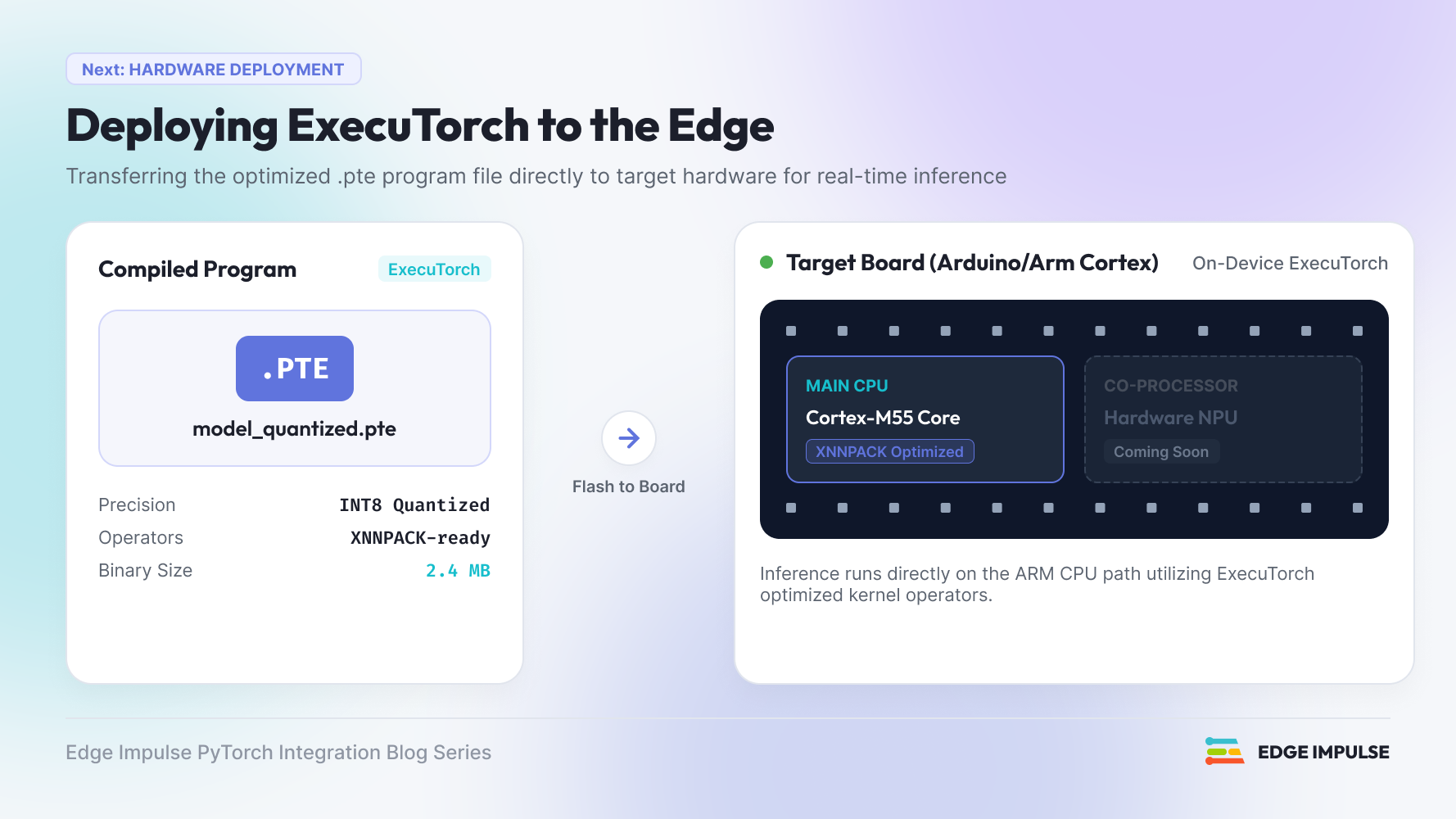
Quantization: Everything in the baseline table above is float32. We've since wired int8 quantization into the deployment block using PT2E and a ~98 KB float32 model comes out at 32.6 KB, a 3× reduction on the whole file.
Removing the round trip: Our learning blocks already export a native .pte directly from the trained PyTorch model. The deployment block currently ignores it and rebuilds one from ONNX so it can serve impulses that weren't trained in PyTorch. We are working on a fix to use the learn block's .pte when it's there, and fall back to ONNX when it isn't.
A .pte is only the neural network: Your impulse also includes a DSP stage with spectral analysis, MFCC, and whatever your project uses, all of which runs before the model. Getting a .pte running on real hardware means reproducing those exact feature parameters, and today we don't ship them in the package.
A runtime that doesn't need Python: Today's package ships a Python harness that needs PyTorch installed on the device. That works on a Linux gateway and not Android, nor iOS, and definitely not a microcontroller. A C++ executor_runner needs neither Python nor torch, and it's the prerequisite for most of the interesting targets.
Finally, the hardware; we have this running end-to-end on an Arduino UNO Q entirely on-device. That's the CPU path via XNNPACK. The NPU on that class of silicon isn't reachable from ExecuTorch yet, and we'd rather say so than imply acceleration we haven't demonstrated. If your target is a Cortex-M today, our EON Compiler path remains the mature route.
Try it
The learning blocks are public and run locally with Docker before you ever push them to Studio. Clone one, point it at data from a project, and you'll get an .onnx and a .pte out the other side:
edge-impulse-blocks runner --download-data input/ docker build -t executorch-classification . docker run --rm -v "$PWD":/app executorch-classification \ --data-directory /app/input --out-directory /app/out \ --epochs 30 --learning-rate 0.001 --batch-size 32 --export-pteThen edge-impulse-blocks init and edge-impulse-blocks push to make it available in Studio.
We're at the beginning of this. If you're a PyTorch developer who has been putting off the edge deployment conversation, this is a good moment to have it and we'd like to hear which targets matter to you, because that's what decides what we optimize next.
References:
We will be sharing more as the series continues. In the meantime, here are some good places to start:
- Deploy PyTorch models with ExecuTorch: our full tutorial.
- ExecuTorch documentation and the ExecuTorch GitHub.
- The block repos: Android Demo image classification, FOMO, time-series, keyword spotting, and the deployment block.