
In early 2026, as part of the Edge Impulse team, I brought a small rover to Embedded World 2026 (Nuremberg) and demoed it on the show floor (Edge Impulse booth 4-505) and in the Qualcomm Theater. The demo resonated because it showed a practical pattern for industrial inspection with on-device AI: detect potential risk areas quickly while moving, stop only when something looks worth a closer look, then collect a consistent close-up and score it with a second model.
This article is both a story (what I demoed and why people cared) and a build guide (how you can replicate the same architecture for your own inspection problem).
Why inspection needs a different kind of AI
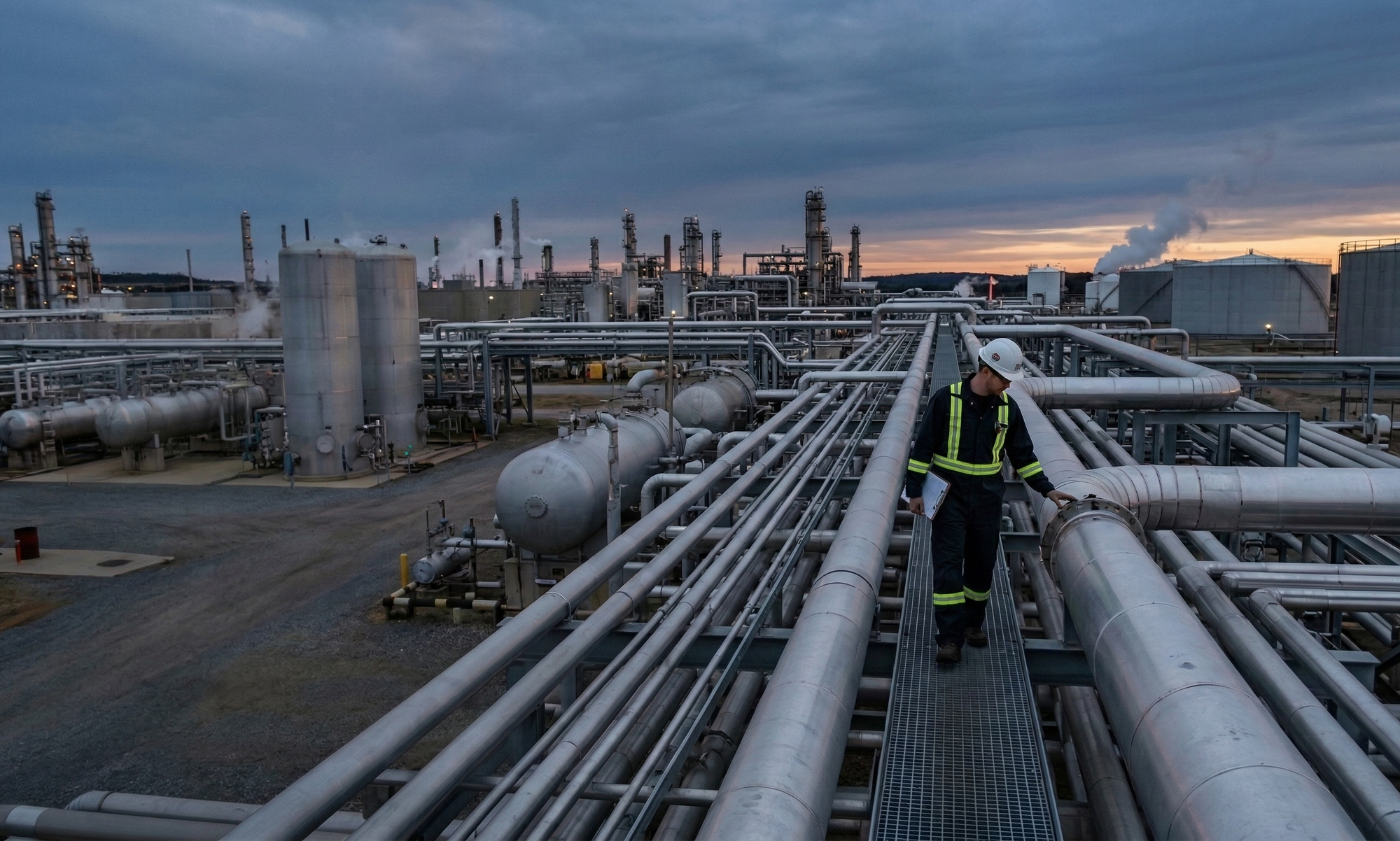
Inspection is one of those problems where “just add AI” is not enough. In practice, access can be hazardous or awkward, data capture can be inconsistent between operators, and connectivity can be limited, expensive, or intentionally restricted. Those constraints shape what a robot needs to do: make decisions locally, produce outputs that are easy to audit, and capture data in a repeatable way.
Edge AI helps because it places inference next to the sensors. That reduces latency, allows the system to stream compact results instead of continuous raw video, and supports stronger data governance because imagery can remain on-site.
What the robot does
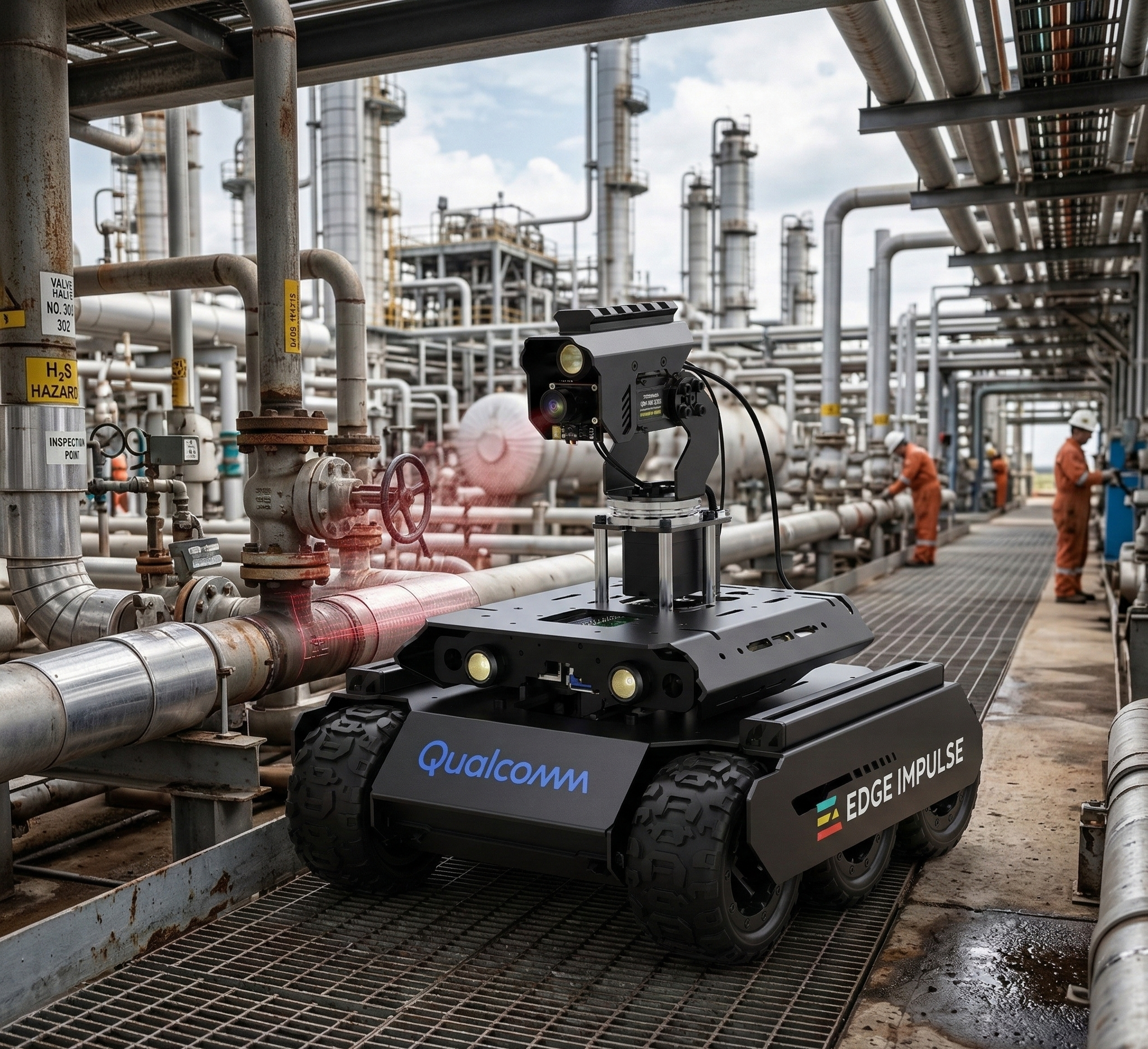
For my inspection demo robot, I used a Waveshare UGV Rover with a pan/tilt gimbal, running a ROS 2 stack on Qualcomm QCS6490 (Rubik Pi 3). The perception pipeline is intentionally two-stage, because the robot has two different jobs.
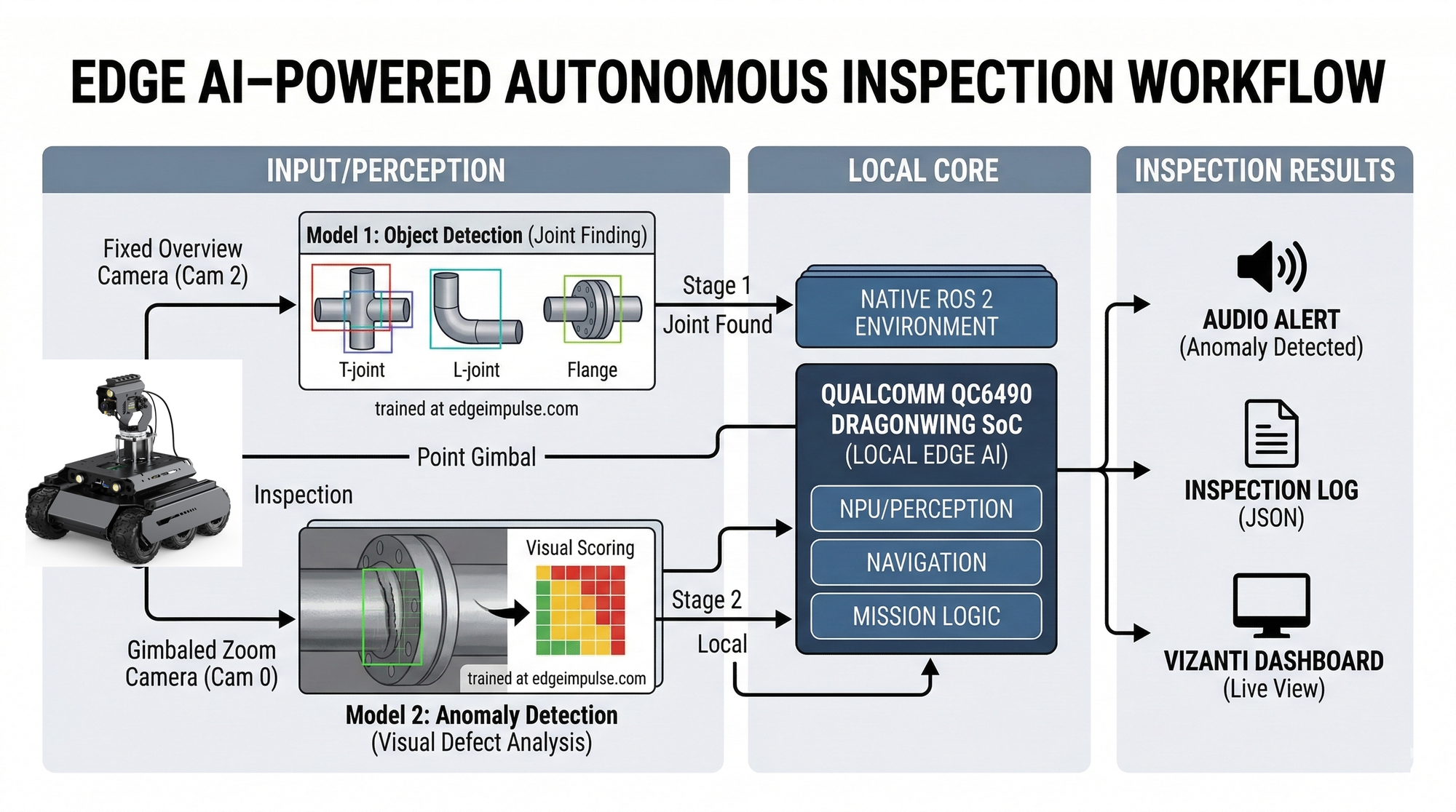
First, it needs a fast, context-aware model to answer “where should I look?” That role is served by an object detector on a wide-view camera, trained to find critical points such as pipe joints and other regions that tend to correlate with corrosion or defects.
Second, it needs a deeper inspection step to answer “does this close-up look abnormal?” That role is served by a close-up inspection model that produces an anomaly-style score on images from the gimbal-mounted camera. Keeping these responsibilities separate lets the robot move efficiently: it doesn’t waste high-resolution analysis on every frame, but it can still collect consistent close-ups when it matters.
How it works (end-to-end loop)
The mission behavior is a repeatable “move–inspect–move” routine. The rover advances in short, controlled steps along an inspection path, runs the detector for a short time window, and aggregates detections into a stable set of candidate points. For each candidate, the gimbal turns to the target, the camera settles, and the system captures a close-up for scoring.
This design has a practical advantage: it produces inspection records that are easy to interpret later. Each stop can be associated with what the robot saw, why it decided to inspect, and what the close-up score was. That traceability is often more valuable than an over-automated policy that is difficult to debug.
System architecture (ROS 2 view)
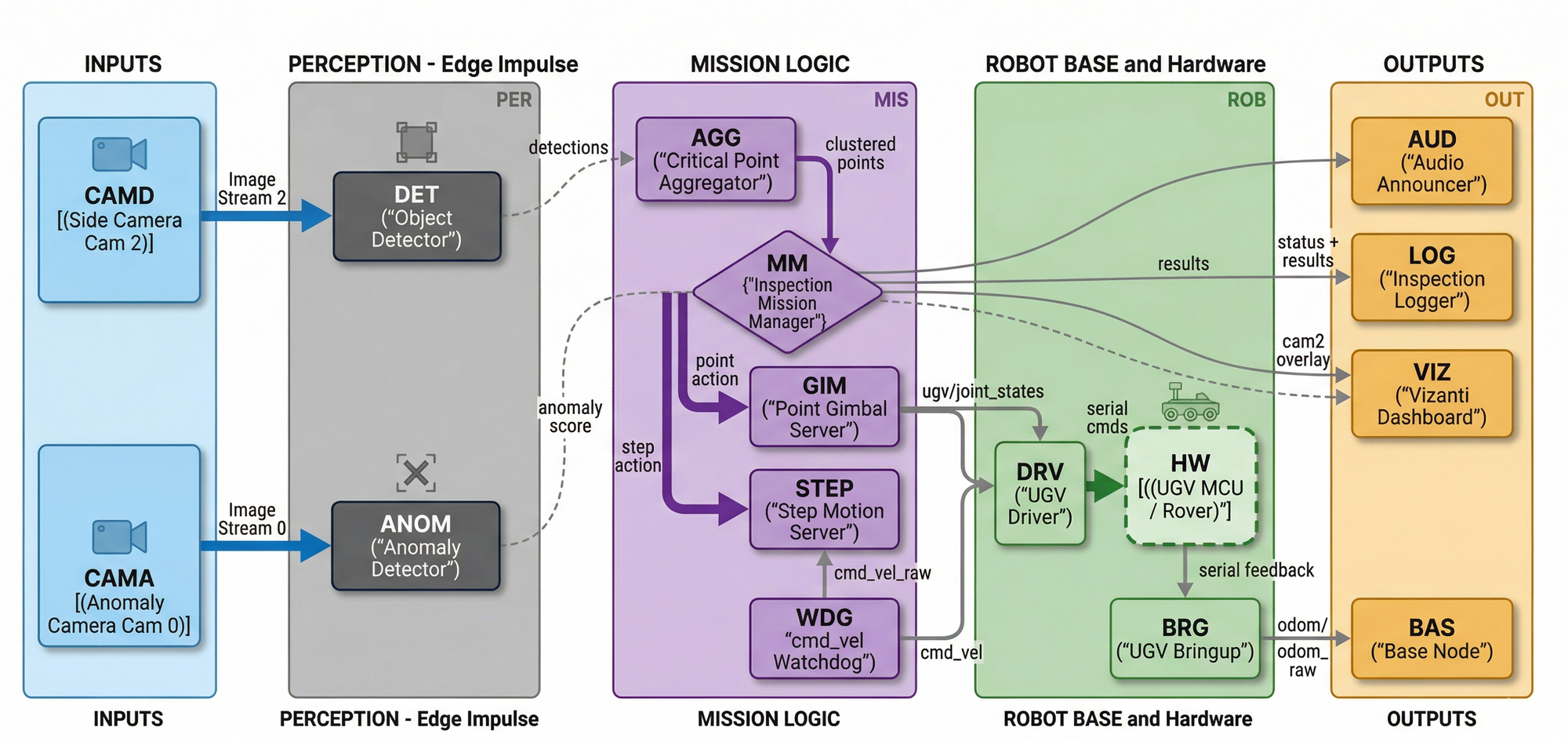
The system is designed to feel native in ROS 2: perception publishes standard messages, mission logic orchestrates long-running behaviors through actions, safety gating sits between mission logic and the motor driver, and visualization/logging are separate consumers. This makes the stack easier to test, iterate on, and extend without turning the project into a single monolithic node.
Key interfaces that keep it modular
These interfaces are intentionally conventional, so you can swap components later:
- Motion command:
geometry_msgs/Twistoncmd_vel. - Gimbal command:
sensor_msgs/JointState(pan/tilt joints). - Detections:
vision_msgs/Detection2DArray(boxes + scores + timestamps). - Inspection score: a lightweight topic or action result (e.g., a
Float32anomaly score). - Mission state + results: a structured “result” message per inspected point (for logs, dashboards, and alerting).
Safety is a separate layer
Safety is handled as a separate layer, not as an implicit property of the mission logic. In practice that means command timeouts and watchdog behavior that can stop the robot if control messages pause or the system is interrupted.
How to build a similar system (high level)
If you want to build something similar in the meantime, the most reliable approach is to plan from the mission outward rather than starting with a model.
Start by defining what “critical point” and “anomaly” mean for your asset and your operational workflow. Then design a repeatable data collection procedure that produces two views: a wide, contextual view suitable for fast detection, and a close-up view suitable for inspection scoring. With that in place, train two models with clear roles: a detector that proposes inspection targets, and an inspection model that evaluates close-ups.
Integration should treat inference as a ROS2 node that publishes standard messages and (optionally) overlay images for visualization. The mission layer should orchestrate the long-running steps as composable actions — detect/aggregate, point gimbal, capture/inspect, and move — so timeouts, cancellation, and recovery remain manageable. Finally, validate the system progressively: begin with static perception tests, move to controlled short-range runs, then expand range and environmental variability once logging and traceability are solid.
1) Hardware and sensing
For this pattern, the minimum effective kit is:
- A mobile base with a reliable velocity interface
- A 2-DOF pan/tilt gimbal
- Two cameras (wide for search, close-up for inspection)
Why two cameras? The “search” model wants context and speed; the close-up model wants detail. Separating them improves both performance and system clarity.
2) Models that match the mission
This project uses two different model types because they answer two different questions. Detector: “Where should I inspect?” and Anomaly/inspection: “Does this close-up look abnormal?”
In practice, that division is what enables the robot to run continuously without wasting compute on high-resolution analysis for every frame.
3) Mission orchestration with Actions
The inspection loop is conceptually simple, but robotics systems become robust when each long-running behavior is a separately testable unit.
Implementing things like Gimbal movement, Capture, Inspect and Step forward functions as ROS 2 Actions makes timeouts, cancellation, and recovery much cleaner than a single monolithic script.
4) Visualization and logging
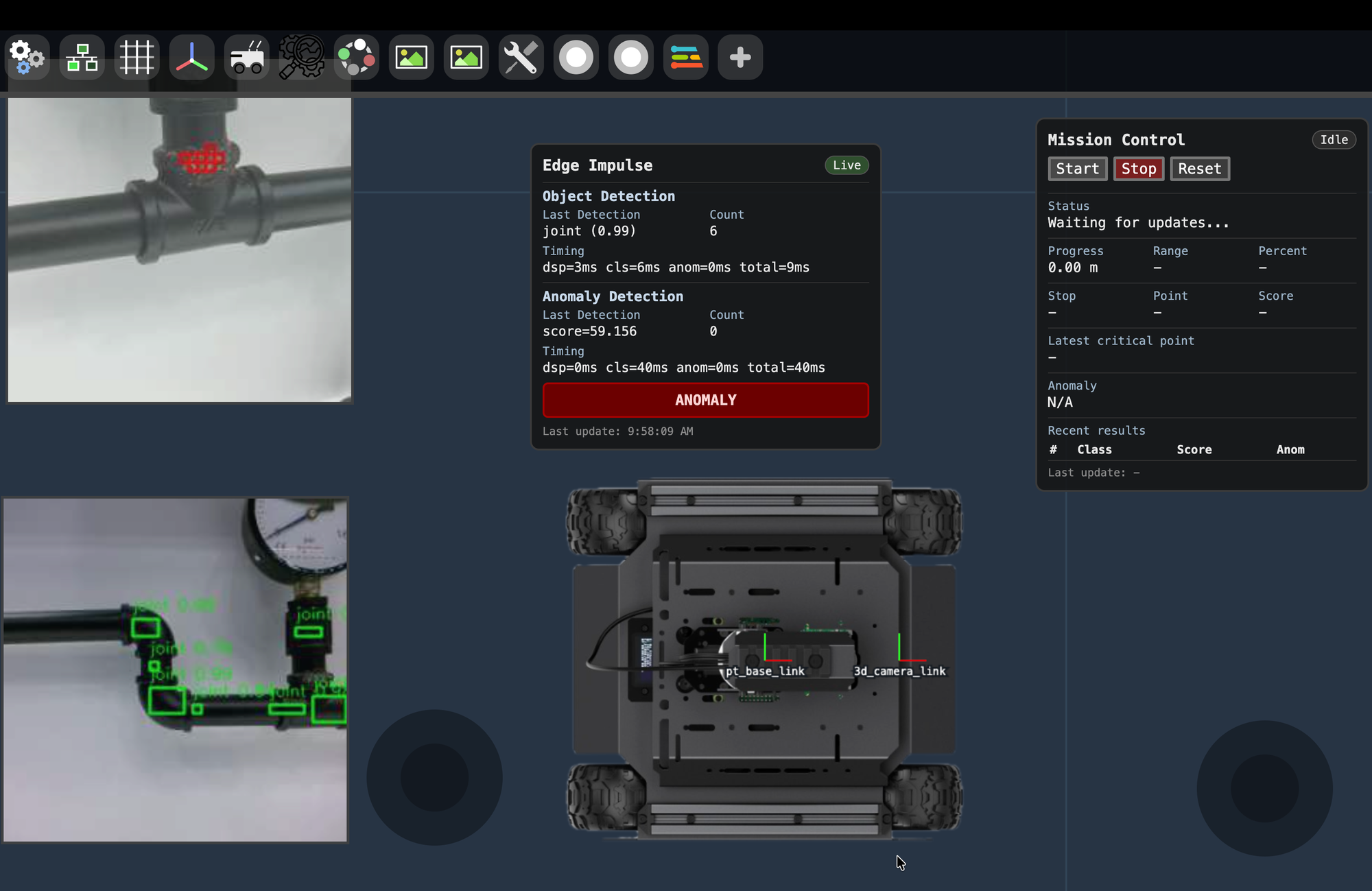
For operators and debugging, the most useful outputs are live overlays (what the model sees), a mission timeline (what the robot is doing), and structured per-point results (what was inspected and why). Vizanti Visualiser of ROS2 is a very handy tool to create a portable web based UI to control and visualise your mission remotely.
Deployment considerations
Field deployments typically succeed or fail on systems engineering details. If connectivity is limited, keep inference on-device and transmit compact results or selected imagery instead of streaming everything. For safety, treat ML as advisory unless proven otherwise, and keep emergency stop and collision-avoidance behavior in simpler, independent layers. Operationally, close the loop: use logged results to improve both the models and the mission policy over time.
Where this goes next
The most valuable improvements from here are practical and measurable. Making the inspection score mission-driven (as an explicit action that returns a score tied to each close-up) improves traceability and automation. Calibrating the pixel-to-gimbal mapping improves repeatability and reduces operator tuning. Upgrading motion from step-based movement to task-aware navigation improves throughput, while keeping the same ROS 2 interfaces so the rest of the system remains stable.
If you’re working in industrial automation, facilities, infrastructure, or field operations, it’s worth taking a step back and asking a simple question: where are people still doing repetitive, high-variability work that a robot could do more safely and consistently? Many of the best opportunities start small - routine visual checks, defect triage, or “only alert me when something changes”-and then expand as the data and confidence improve.
If you want to explore this direction, start experimenting with a small dataset and an on-device workflow. Creating an account on Edge Impulse is a good first step to quickly iterate on models, deploy to edge hardware, and learn what’s practical for your environment.
And if you have questions about building a similar inspection system (or adapting the architecture to a different use case), feel free to reach out.